You are not logged in.
- Topics: Active | Unanswered
#1 2025-10-07 21:12
- jacatone
- Member
- Registered: 2018-02-14
- Posts: 27
Can't get a YouTube video downloader to work
I like to download YouTube videos as mpeg4 files so I can watch them on my big screen TV ( don't stream). Tried YouTube Downloader and Clipgrab but didn't work. Even tried using yt-dlp. Seems strange to me that a new install of the OS would have made these apps work ok once all the proper codecs were installed.
Offline
#2 2025-10-07 21:51
- q4osteam
- Q4OS Team

- Registered: 2015-12-06
- Posts: 6,384
- Website
Re: Can't get a YouTube video downloader to work
How did you install the apps ?
Offline
#3 2025-10-08 07:02
- bin
- Member

- From: U.K.
- Registered: 2016-01-28
- Posts: 1,604
Re: Can't get a YouTube video downloader to work
At the risk of causing upset, the only way I have found to stay ahead of YT's shenanigans is to use the binary from https://github.com/yt-dlp/yt-dlp?tab=re … ease-files
I download yt-dlp_linux, make it executable and then just ./yt-dlp_linux <url> and it does the rest.
When it stops working I go back for the latest.
There may be more elegant ways of doing this.
Offline
#4 2025-10-08 07:22
- q4osteam
- Q4OS Team
- Registered: 2015-12-06
- Posts: 6,384
- Website
Re: Can't get a YouTube video downloader to work
@jacatone
Did you install "Video downloader" from the Q4OS software center ? It works just fine in Q4OS-6 Andromeda. You only need to update its Flatpak base time by time:
$ flatpak update
YT downloaders from Debian repositories doesn't work well because they are not up to date. Youtube API is changing frequently.
Offline
#5 2025-10-08 18:03
- jacatone
- Member
- Registered: 2018-02-14
- Posts: 27
Re: Can't get a YouTube video downloader to work
Yes I installed YouTube Downloader from the software center app. Clipgrab I downloaded an appimage from their site. Don't understand why these two apps don't work. They work fine in Windows.
Offline
#6 2025-10-08 19:14
- q4osteam
- Q4OS Team
- Registered: 2015-12-06
- Posts: 6,384
- Website
Re: Can't get a YouTube video downloader to work
Yes I installed YouTube Downloader from the software center app. ... Don't understand why these two apps don't work. They work fine in Windows.
We are not able to reproduce the issue. Video downloader from Q4OS software center works fine here as we have completed a few testing downloads.
We would need more detailed info about your system and steps to reproduce the issue, so we can investigate. Please see https://www.q4os.org/forum/viewtopic.php?id=3502
Offline
#7 2025-10-08 23:14
- jacatone
- Member
- Registered: 2018-02-14
- Posts: 27
Re: Can't get a YouTube video downloader to work
Installed Q4OS from a burned DVD on a Dell Latitude E6430 laptop. Installed KDE Plasma basic version. I just copy and paste the Youtube video's URL then hit the download button. Always get the same result. Tried uploading a screenshot but I guess it was too large. Used Spectacle.
Offline
#8 2025-10-09 07:15
- hchiper
- Member

- From: Belgium
- Registered: 2020-07-28
- Posts: 835
Re: Can't get a YouTube video downloader to work
Tried uploading a screenshot but I guess it was too large. Used Spectacle.
If you didn't already, try to take a screenshot of the active window only.
Q4OS machine: Samsung R519 - Pentium T4200 2.0 GHz - 4 GB RAM - 500 GB SSD
Offline
#9 2025-10-09 12:41
- q4osteam
- Q4OS Team
- Registered: 2015-12-06
- Posts: 6,384
- Website
Re: Can't get a YouTube video downloader to work
Installed Q4OS from a burned DVD ...
Please specify the .iso file you downloaded.
Tried uploading a screenshot but I guess it was too large. Used Spectacle.
You can upload files up to 300kB in size. If you need to post a larger file, ship it via e-mail support@q4os.org
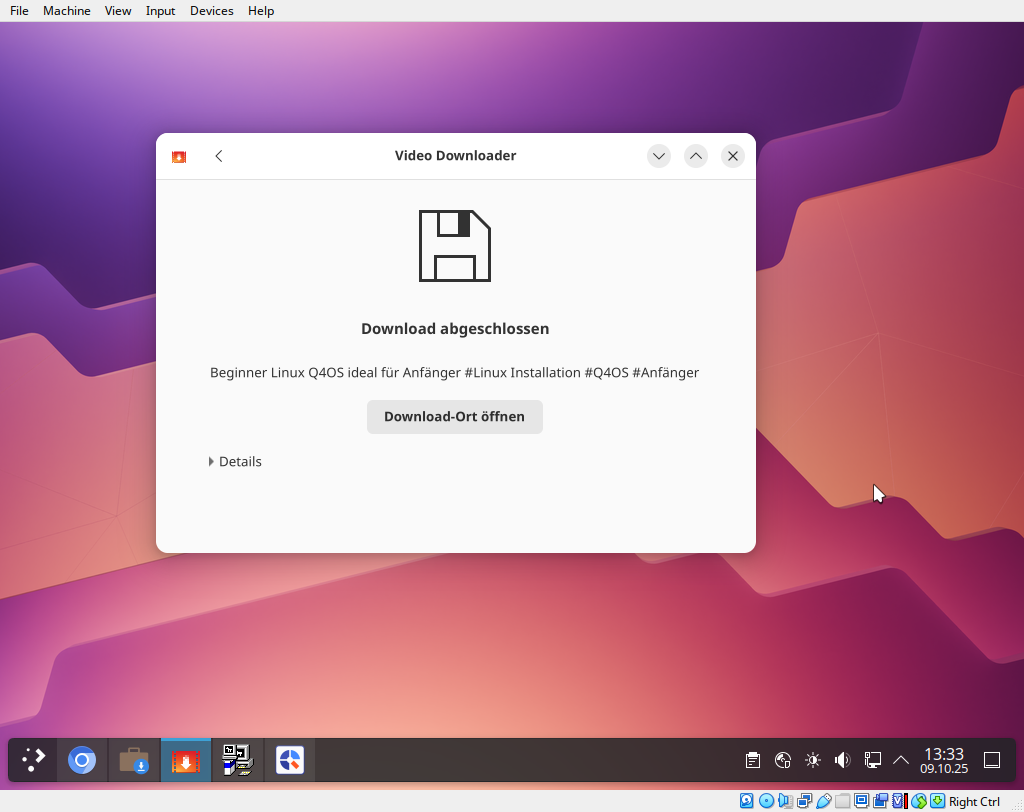
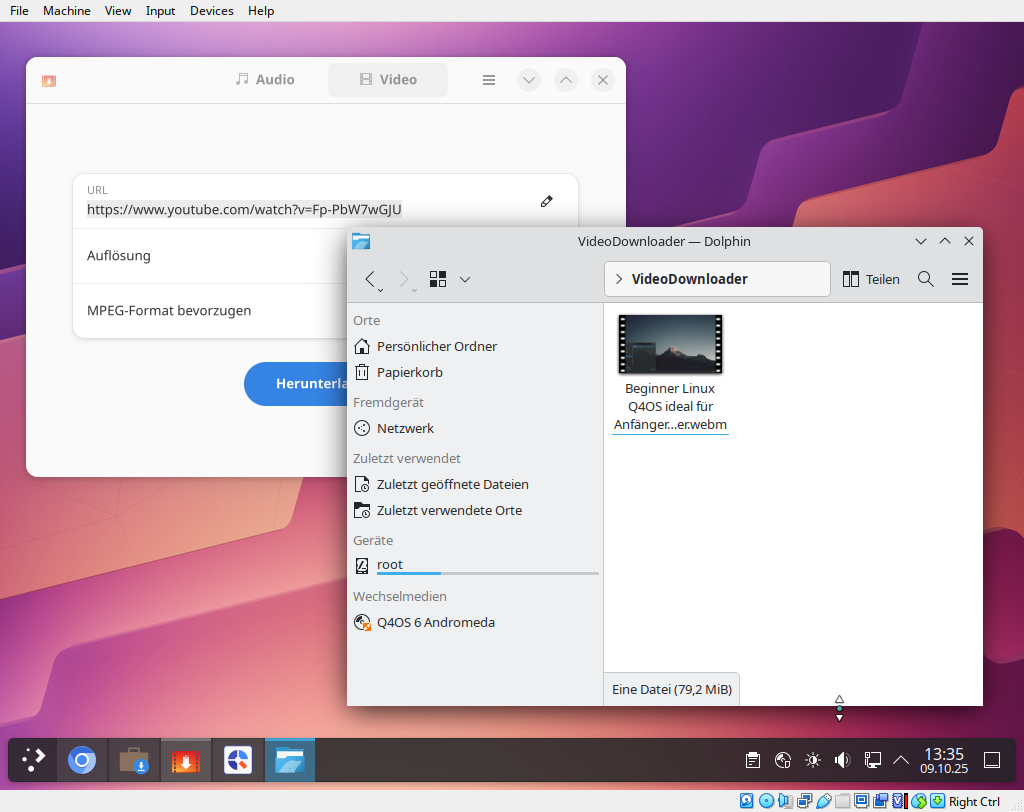
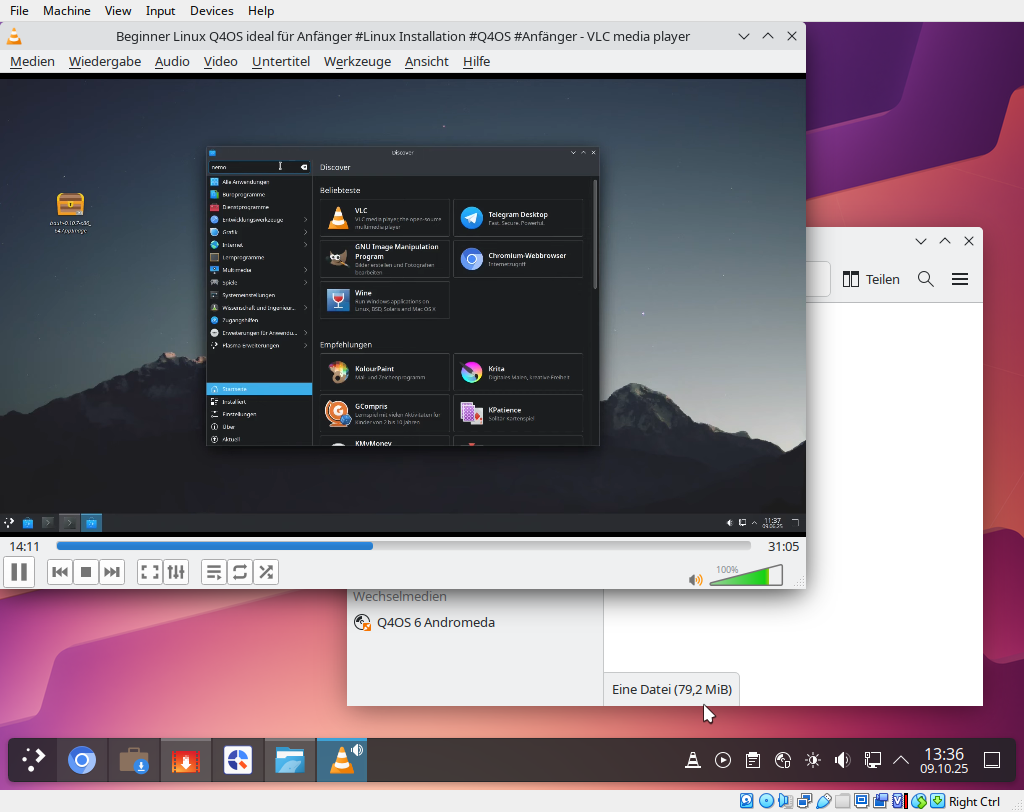
Youtube downloader worked out of the box and just fine here: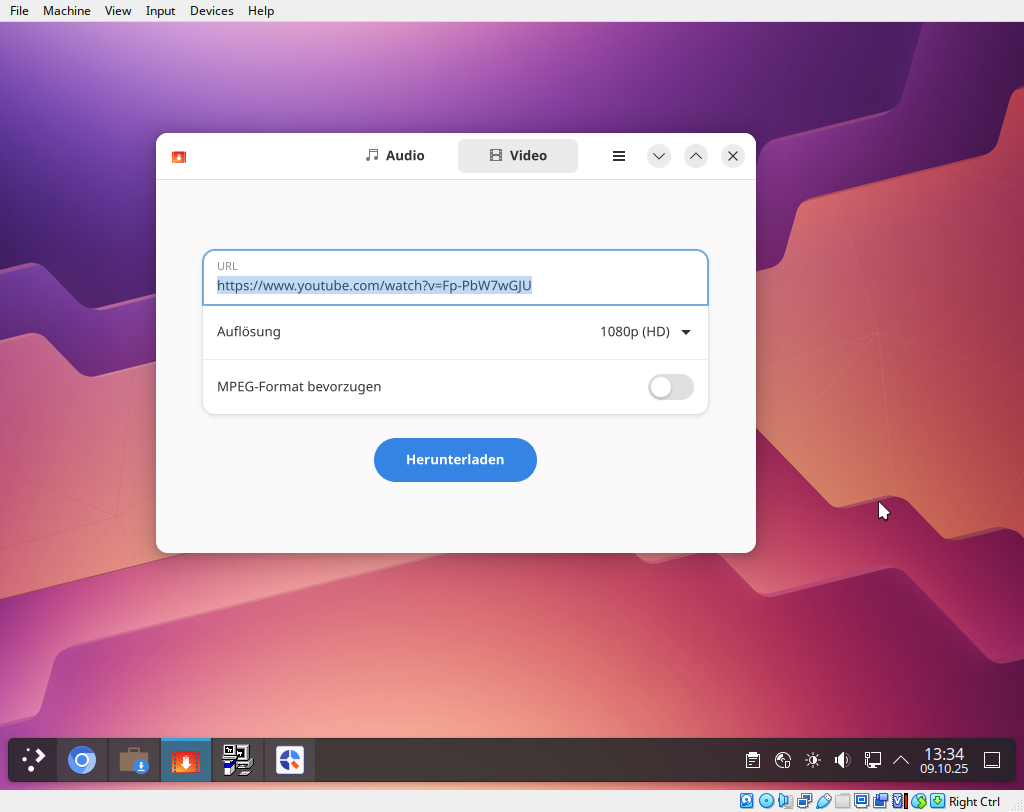
Offline
#10 2025-10-11 11:57
- q4osteam
- Q4OS Team
- Registered: 2015-12-06
- Posts: 6,384
- Website
Re: Can't get a YouTube video downloader to work
@jacatone
We have received two screenshots via e-mail, thanks. The first screenshot shows ClipGrab installed from appimage and the second "Youtube downloader" from Software center, is it right ?
In order to provide a help we would need some more info about your system:
Installed Q4OS from a burned DVD ...
Please specify the .iso file you downloaded and burned.
Run in terminal:
$ get-q4os-version
and post the output.
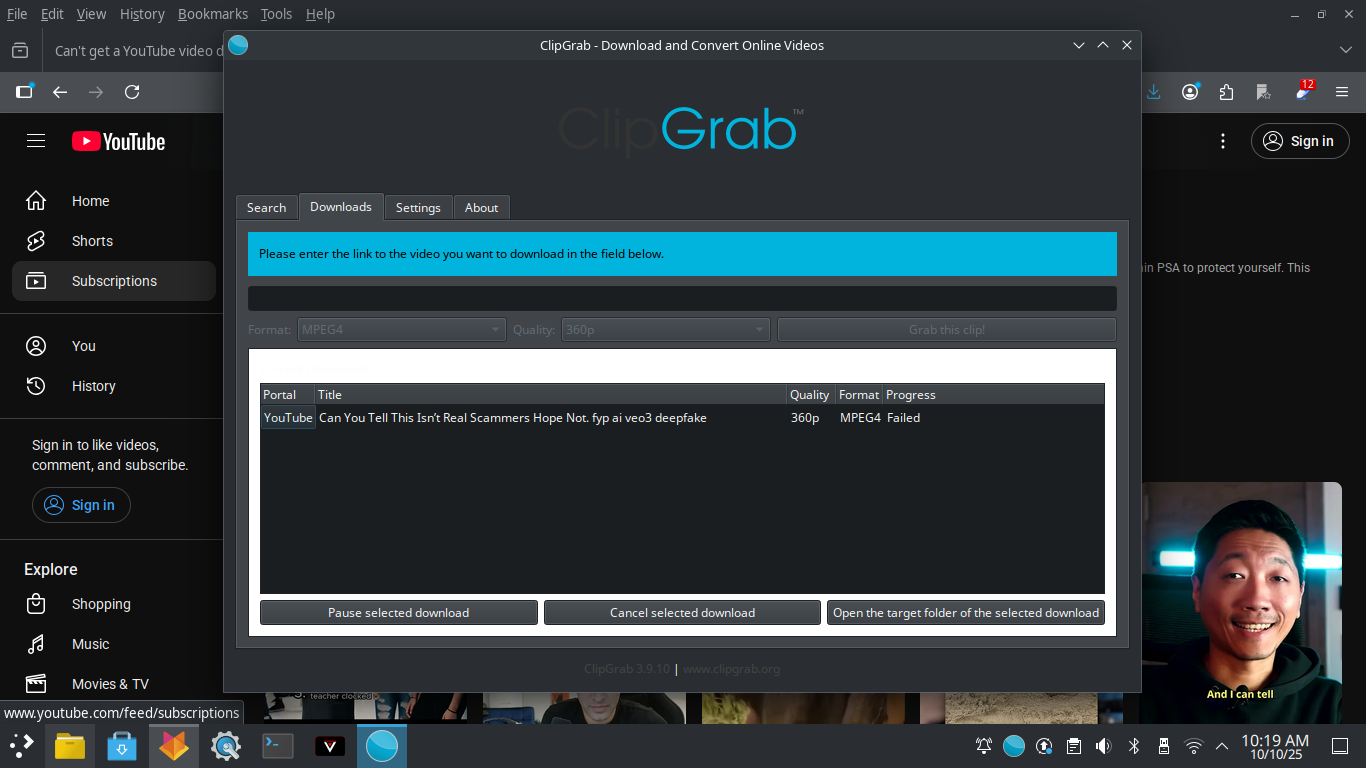
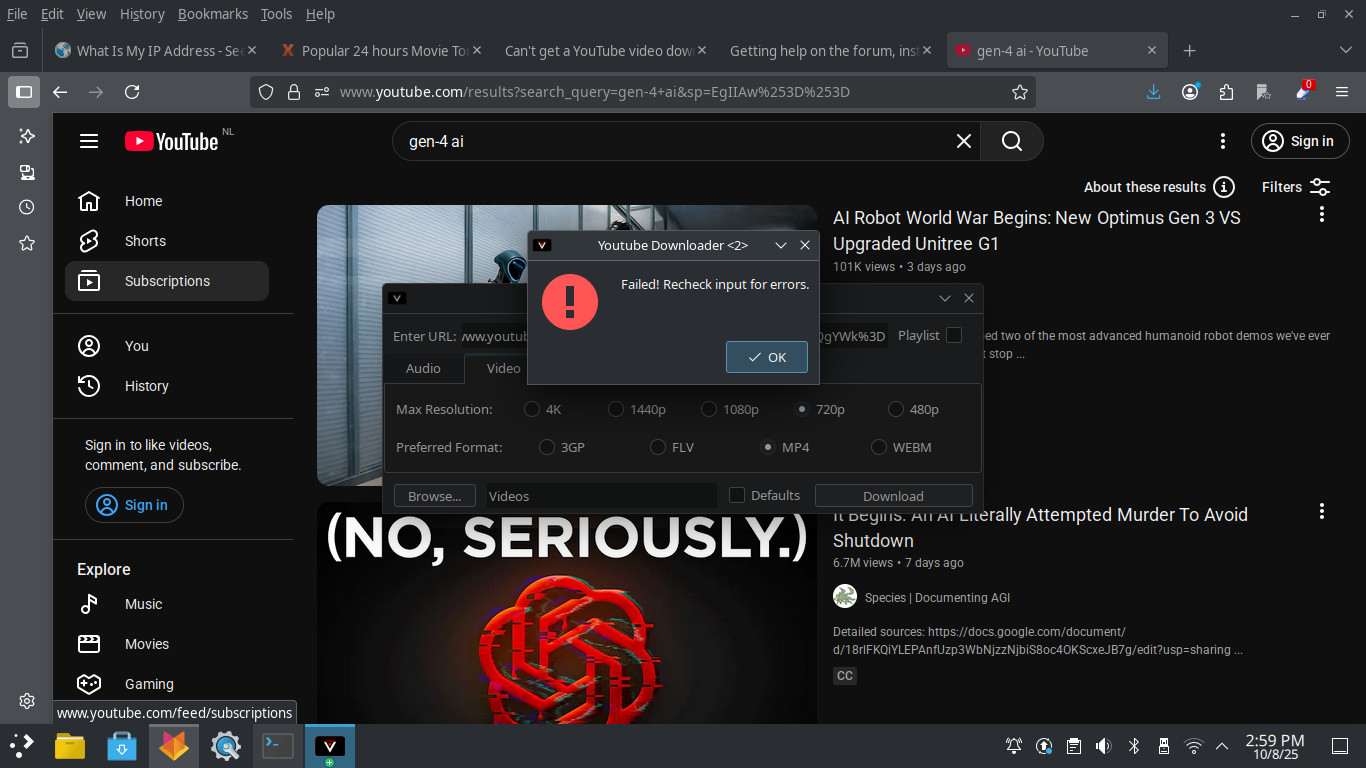
Offline
#11 2025-10-12 01:02
- jacatone
- Member
- Registered: 2018-02-14
- Posts: 27
Re: Can't get a YouTube video downloader to work
I burned the Q4OS Andromeda, Trinity, live - 64bit / x64 iso for the install and chose the KDE Plasma desktop with the basic option because I don't need apps like Samba and Libre Office. The OS works well on this old dual core laptop. Much better than Win 11 X-Lite did. I've been able to find a work around with a web site call y2mate.com. Just a little more work to download a YT video.
Last edited by jacatone (2025-10-12 01:33)
Offline
#12 2025-10-12 11:07
- q4osteam
- Q4OS Team
- Registered: 2015-12-06
- Posts: 6,384
- Website
Re: Can't get a YouTube video downloader to work
Well, try the following procedure:
- At first remove all downloaders and their remnants you installed before from your system as completely as possible.
- Run Q4OS Software center form main menu
- Install Flatpak framework from the Software center
- Close and open Software center again
- Install Youtube downloader from the Software center
- Run in terminal
$ sudo flatpak update
- Reboot
- Run video downloader from main menu, check for some YT download. It will look like http://www.q4os.org/forum/qimg/qg0075.png
- Report the result here
We can see from both of your screenshots, that you don't have YT downloader from the Software center installed. They seems to be somewhat older versions.
I burned the Q4OS Andromeda, Trinity, live - 64bit / x64 iso for the install and chose the KDE Plasma desktop with the basic option because I don't need apps like Samba and Libre Office.
Yes, it's pretty common and correct installation.
Offline
- Registered users online in this topic: 0, guests: 1