You are not logged in.
- Topics: Active | Unanswered
#1 2026-08-19 14:07
- seb3773
- Member

- From: France
- Registered: 2023-11-01
- Posts: 272
Classic-X Kicker Menu (Standalone TDE Kicker Applet)
TDE Kicker Menu Classic-X (Standalone Applet)

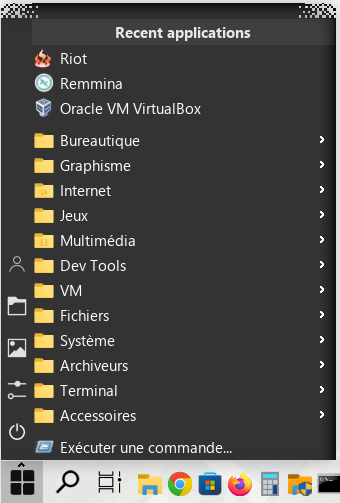
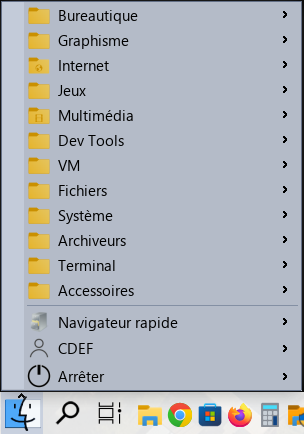
Classic-X is a modern, high-performance redesign of the classic Trinity Desktop Environment (TDE) KMenu, delivered as a fully standalone Kicker panel applet. It preserves the speed and familiar workflow of the traditional TDE menu while adding a more modern Windows 10-style user experience and extensive customization.
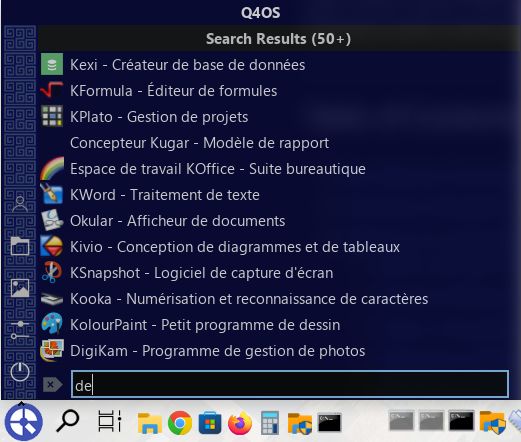
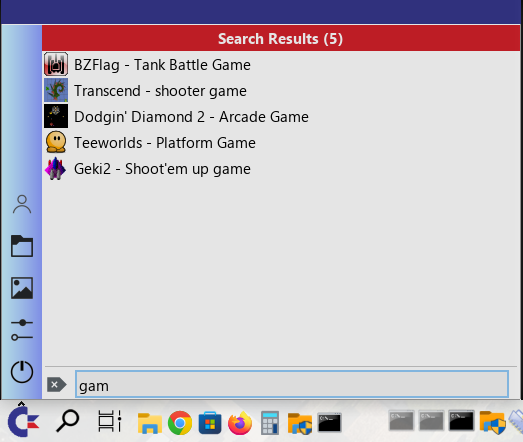
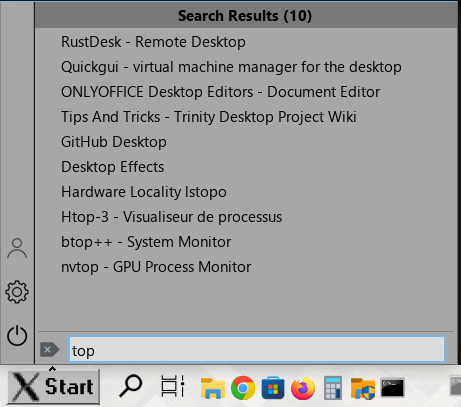
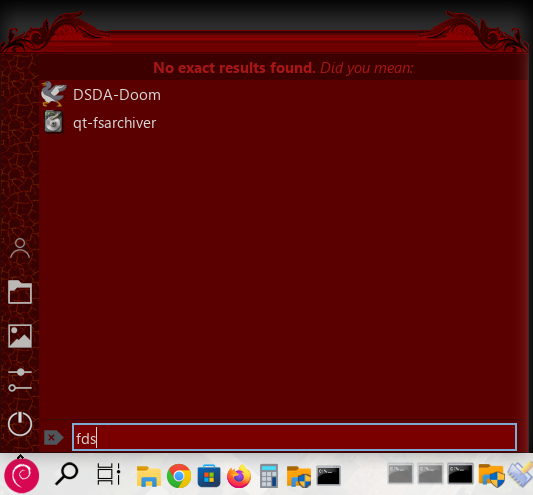
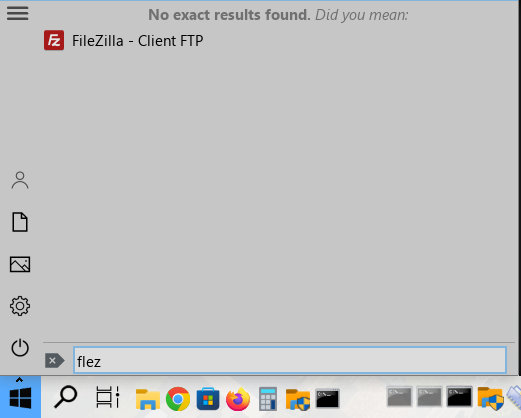
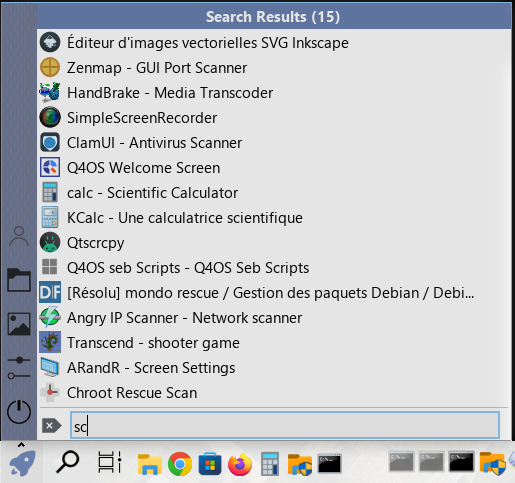
One of its main features is instant type-to-search: simply open the menu and start typing to immediately filter applications, without having to focus a search box first. The search engine supports typo-tolerant fuzzy matching and accent normalization, so small mistakes or missing characters can still find the intended application. Frequently used and recently launched applications are automatically prioritized, and search results can be restored directly to their original position in the category tree.
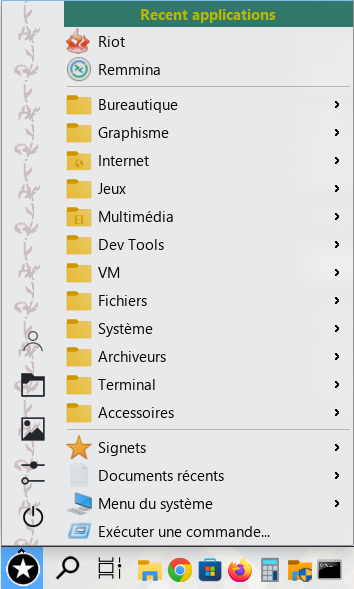
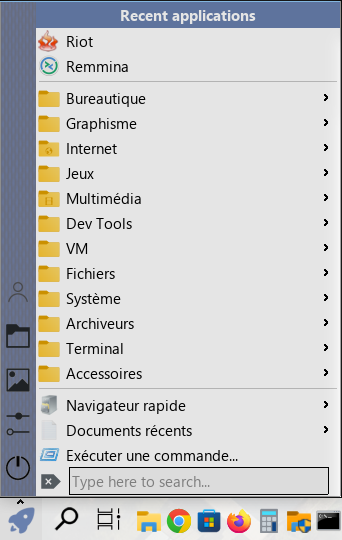
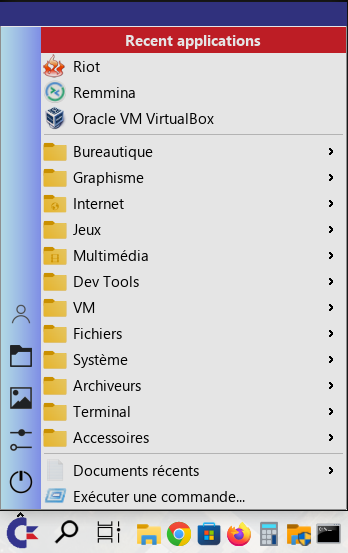
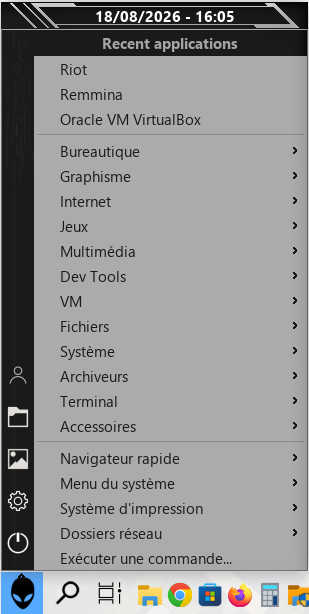
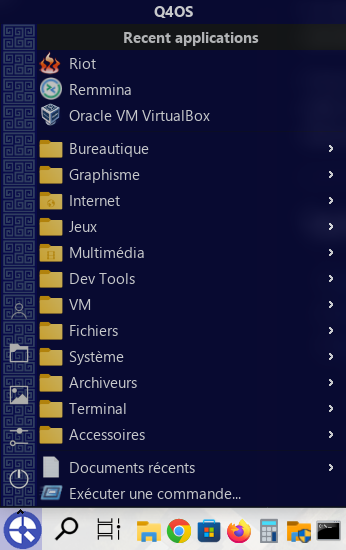
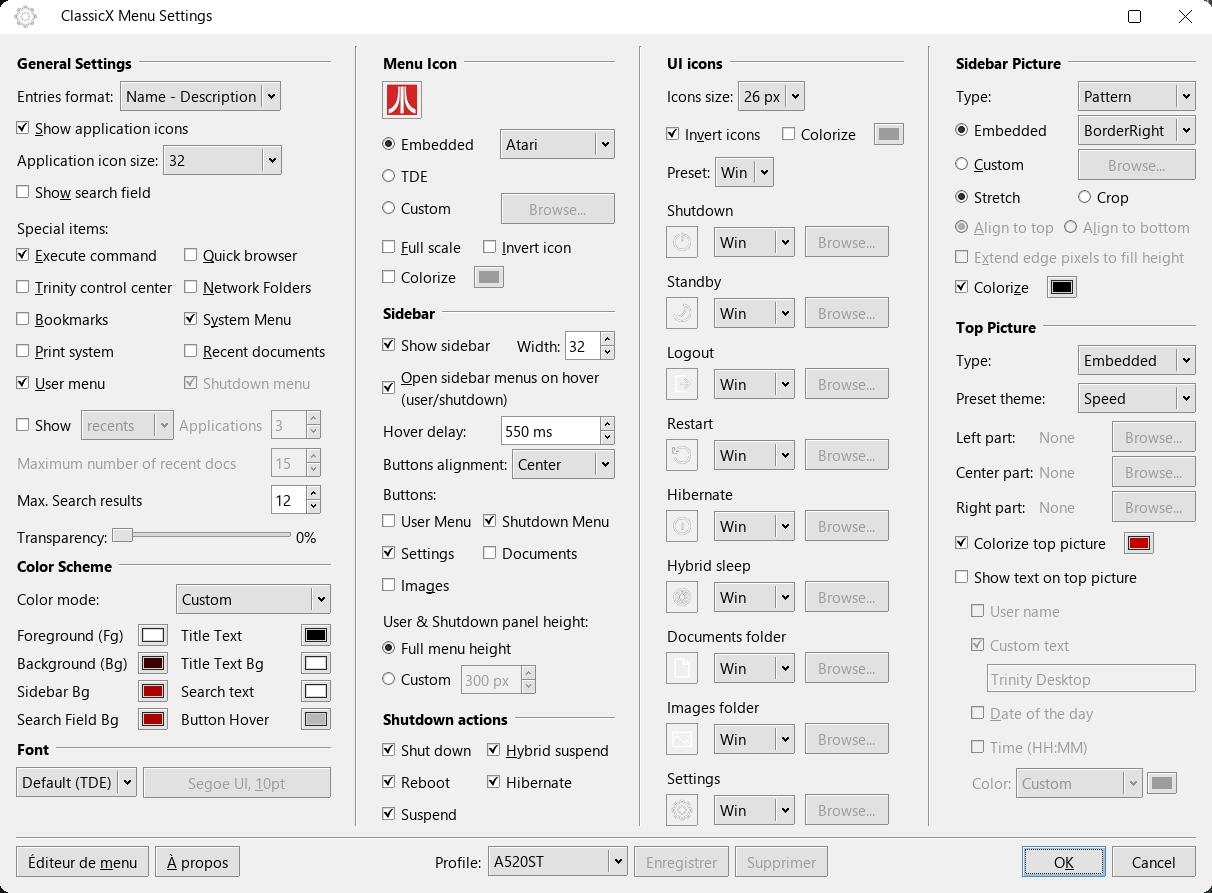
Classic-X also introduces an interactive quick-access sidebar providing shortcuts to the user/session menu, documents, pictures, settings and power management. The menu can be extensively customized with different layouts, colors, transparency levels, fonts, icons, sidebar graphics and multi-part header banners. Dynamic header text can display the username, custom text, localized date and time.
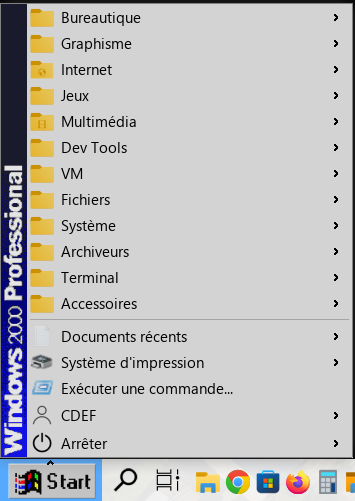
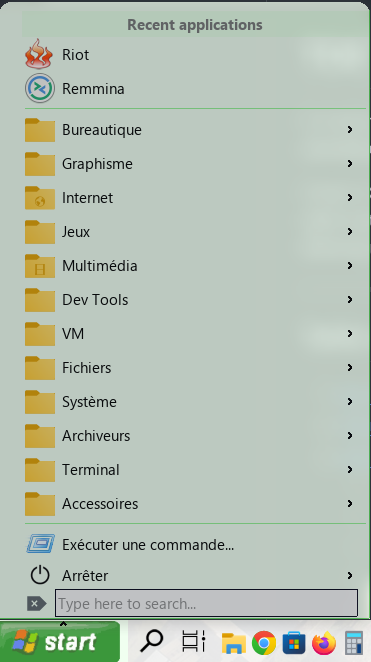
The application includes 20 built-in visual profiles ranging from classic TDE-inspired designs to themes inspired by systems such as Windows, Mac, C64 and other retro interfaces. Users can also create and save their own custom profiles, making it possible to completely transform the appearance of the menu without modifying the underlying application.
Navigation is designed to work naturally with both keyboard and mouse. Search results, recent applications and the category tree can be navigated without leaving the menu, while contextual actions allow applications to be added to the desktop or panel, or instantly located within their original menu hierarchy.
Classic-X is implemented as a standalone TDE Kicker plugin, requiring no modifications to Kicker or the TDE base packages. It integrates directly into the existing TDE panel while remaining independently installable and distributable, combining the lightweight architecture of the classic TDE menu with a significantly more modern and customizable interface.
** How to access Settings panel ---> right click on the kmenu button , then select "Configure ClassicX Menu" or if you have sidebar enabled and the settings shortcut button enabled, you can right click on it to open the panel settings too.**
--------------------------------------------------------------------------------------
*update 1.0.3 released:
User Profile Picture: Added support for native TDE user avatar (~/.face), 18 embedded pixel-art and modern avatar presets, or custom image paths, featuring a snug square live preview frame, Invert colors, and Colorize tint filters.
-Menu Icon & UI Icons: Live preview widget dynamically expanding upon toggling "Full scale", color inversion and tint filters, plus expanded suites of embedded start icons and UI chrome icon sets (including Downloads).
- Sidebar Picture & Patterns: Invert filter added
- Top Header Picture & Dynamic Text Overlay: Invert filter added, horizontal text alignment selector (Center / Left / Right), and new ultra-fast Free RAM metric (formatted in GB via a ~2µs direct /proc/meminfo probe).
- Popup Geometry & Positioning Fixes: Precise height and coordinate alignments for User and Shutdown submenus when top banners are active across Full Height and Custom Height modes.
--------------------------------------------------------------------------------------
.deb package and .qsi package provided for easy installation on the release page:
https://seb3773.github.io/ClassicX-tde/
~~~~
Some screenshots: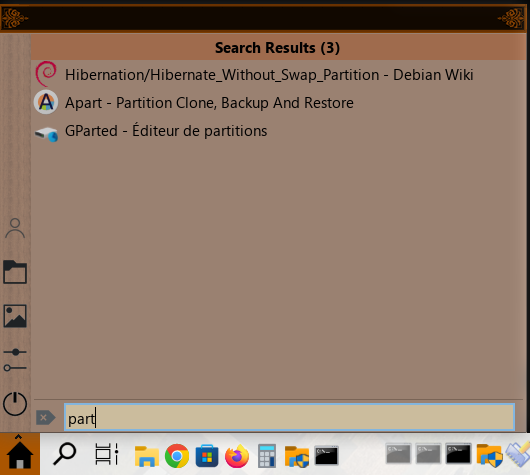
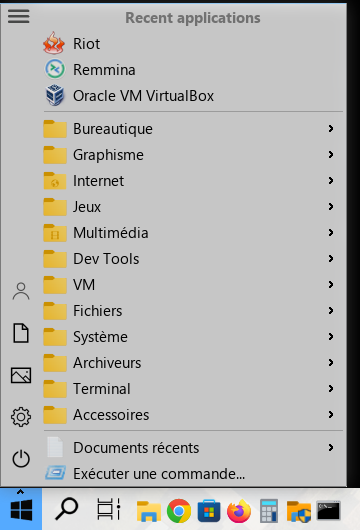
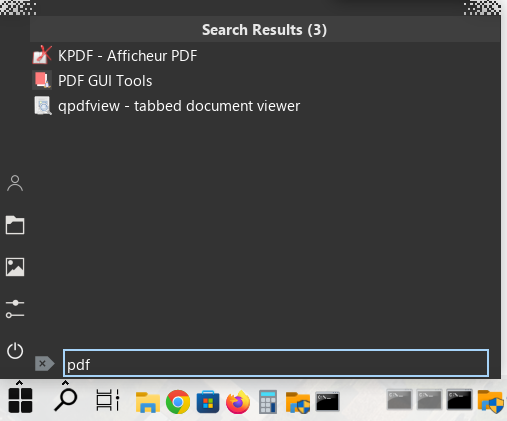
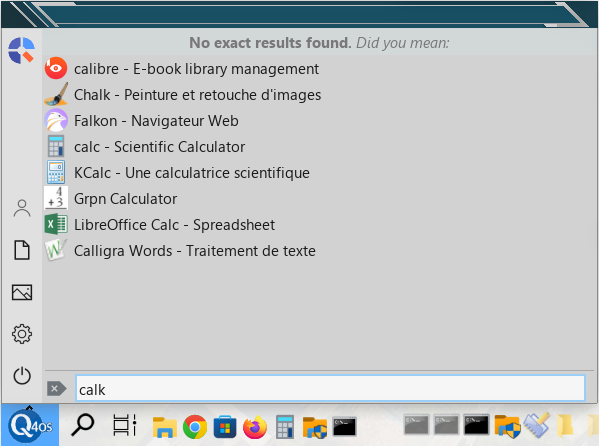
Last edited by seb3773 (2026-09-10 11:38)
Debian & Q4OS (TDE!!), low-level C, ASM (z80/68k/x86/ARM64), embedded systems, CPU architectures (RISC-V, binary formats, assembly), retro-computing, metal music, guitar and sci-fi.
Offline
#2 2026-08-19 18:03
- q4osteam
- Q4OS Team

- Registered: 2015-12-06
- Posts: 6,376
- Website
Re: Classic-X Kicker Menu (Standalone TDE Kicker Applet)
Great work  We will try to install and test and post back. However it could take about two weeks.
Offline
#3 2026-08-19 21:42
- seb3773
- Member
- From: France
- Registered: 2023-11-01
- Posts: 272
Re: Classic-X Kicker Menu (Standalone TDE Kicker Applet)
Great work
Thank you very much, this one took a lot of time  , I hope you'll enjoy it as much as me
*By the way, I can't upload any .qsi file on the forum (seems to be not allowed), do you know why ?....
Last edited by seb3773 (2026-08-19 21:43)
Debian & Q4OS (TDE!!), low-level C, ASM (z80/68k/x86/ARM64), embedded systems, CPU architectures (RISC-V, binary formats, assembly), retro-computing, metal music, guitar and sci-fi.
Offline
#4 2026-08-20 18:21
- q4osteam
- Q4OS Team
- Registered: 2015-12-06
- Posts: 6,376
- Website
Re: Classic-X Kicker Menu (Standalone TDE Kicker Applet)
By the way, I can't upload any .qsi file on the forum (seems to be not allowed), do you know why ?....
We have fixed the issue, you can now upload .qsi files.
Offline
#5 2026-08-25 02:49
- tlmiller76
- Member
- From: AZ, USA
- Registered: 2016-11-29
- Posts: 501
Re: Classic-X Kicker Menu (Standalone TDE Kicker Applet)
This actually looks REALLY cool.
Q4OS Trinity machine - HP Probook 445 G11. AMD Ryzen 7 7735U, 16GB DDR5, 512GB m.2 NVMe SSD, Radeon RX780M, MediaTek MT7922 (AMD RX616) Wifi 6E + BT 5.2, 14" WUXGA 400-nit LCD.
Offline
#6 2026-08-25 15:14
- seb3773
- Member
- From: France
- Registered: 2023-11-01
- Posts: 272
Re: Classic-X Kicker Menu (Standalone TDE Kicker Applet)
This actually looks REALLY cool.
Thanks ! Don't hesitate to try the 1.0.3 release, and tell me what you think about it ! I'm trying my best to make it even better, but I need returns from "testers" ;-)
Debian & Q4OS (TDE!!), low-level C, ASM (z80/68k/x86/ARM64), embedded systems, CPU architectures (RISC-V, binary formats, assembly), retro-computing, metal music, guitar and sci-fi.
Offline
#7 2026-08-25 15:35
- q4osteam
- Q4OS Team
- Registered: 2015-12-06
- Posts: 6,376
- Website
Re: Classic-X Kicker Menu (Standalone TDE Kicker Applet)
It would be really cool, if you might setup a repository, so users will get the most recent version of tde-kicker-classicx-applet automatically with regular updates..You can setup a repository for free on Github, Qsi installer can add the repo automatically on installation.
Offline
#8 2026-08-25 17:01
- seb3773
- Member
- From: France
- Registered: 2023-11-01
- Posts: 272
Re: Classic-X Kicker Menu (Standalone TDE Kicker Applet)
It would be really cool, if you might setup a repository, so users will get the most recent version of tde-kicker-classicx-applet automatically with regular updates..You can setup a repository for free on Github, Qsi installer can add the repo automatically on installation.
Very good idea !
Here it is:
Debian & Q4OS (TDE!!), low-level C, ASM (z80/68k/x86/ARM64), embedded systems, CPU architectures (RISC-V, binary formats, assembly), retro-computing, metal music, guitar and sci-fi.
Offline
#9 2026-08-30 20:05
- q4osteam
- Q4OS Team
- Registered: 2015-12-06
- Posts: 6,376
- Website
Re: Classic-X Kicker Menu (Standalone TDE Kicker Applet)
Your `.qsi` installer works fine, but it doesn't add the Apt repository automatically. QSI is designed to add a repository when installing an application, which is one of its significant advantages over ordinary `.deb` packages.
Offline
#10 2026-09-01 11:08
- seb3773
- Member
- From: France
- Registered: 2023-11-01
- Posts: 272
Re: Classic-X Kicker Menu (Standalone TDE Kicker Applet)
Your `.qsi` installer works fine, but it doesn't add the Apt repository automatically. QSI is designed to add a repository when installing an application, which is one of its significant advantages over ordinary `.deb` packages.
Indeed, sorry for this mistake. It should be fixed now, for this .qsi package and the others posted—let me know if it’s okay!
Debian & Q4OS (TDE!!), low-level C, ASM (z80/68k/x86/ARM64), embedded systems, CPU architectures (RISC-V, binary formats, assembly), retro-computing, metal music, guitar and sci-fi.
Offline
#11 2026-09-02 08:32
- q4osteam
- Q4OS Team
- Registered: 2015-12-06
- Posts: 6,376
- Website
Re: Classic-X Kicker Menu (Standalone TDE Kicker Applet)
Yes, we have checked the .qsi installer and it's now absolutely okay You can replicate that setup for your other projects too.
Offline
- Registered users online in this topic: 0, guests: 1