You are not logged in.
- Topics: Active | Unanswered
Pages: 1
#1 2026-02-16 16:10
- seb3773
- Member

- From: France
- Registered: 2023-11-01
- Posts: 272
TDE Classic menu redesign
Hello,
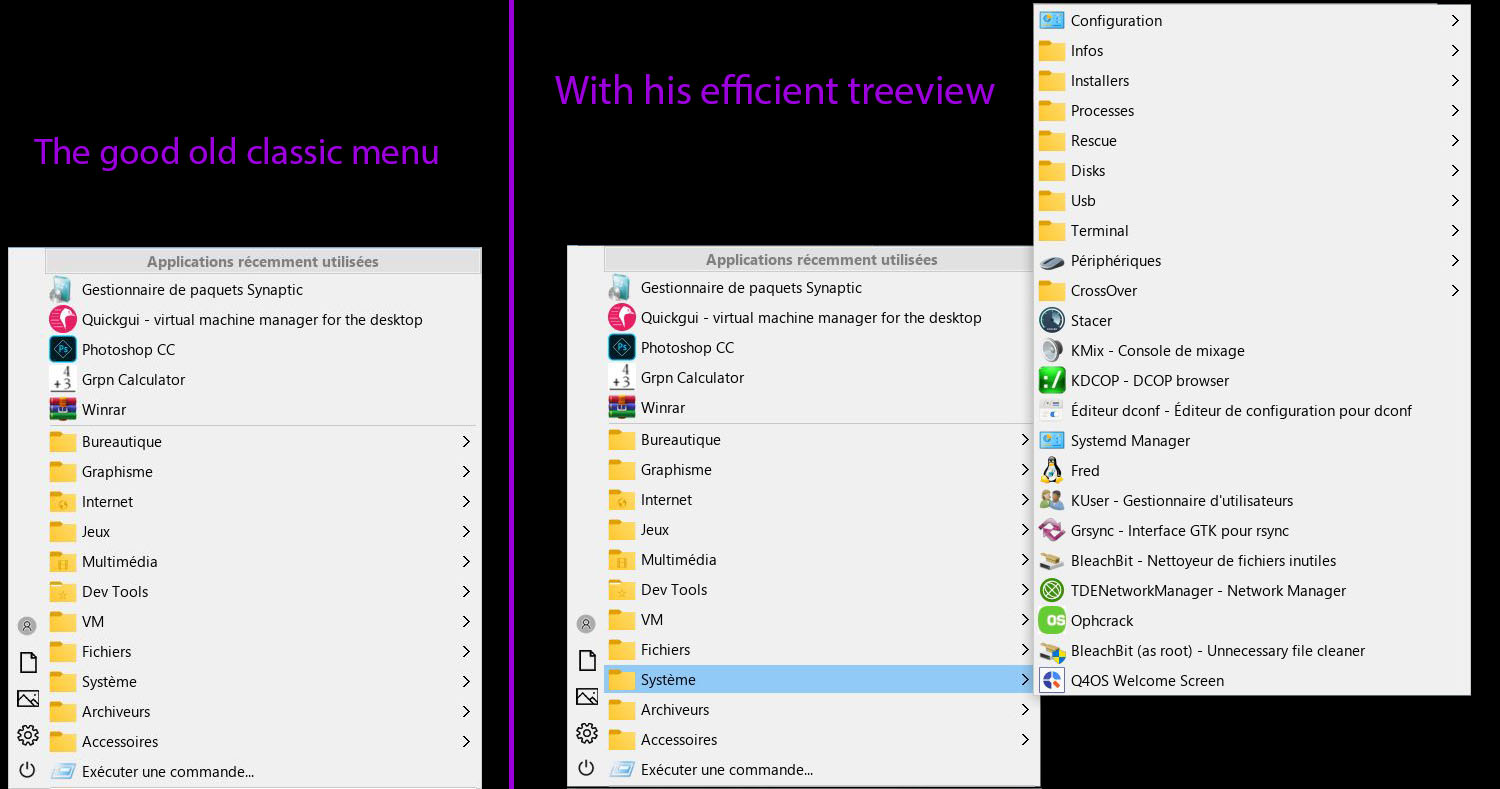
I spent some time revisiting the classic menu of TDE. Here’s the result:
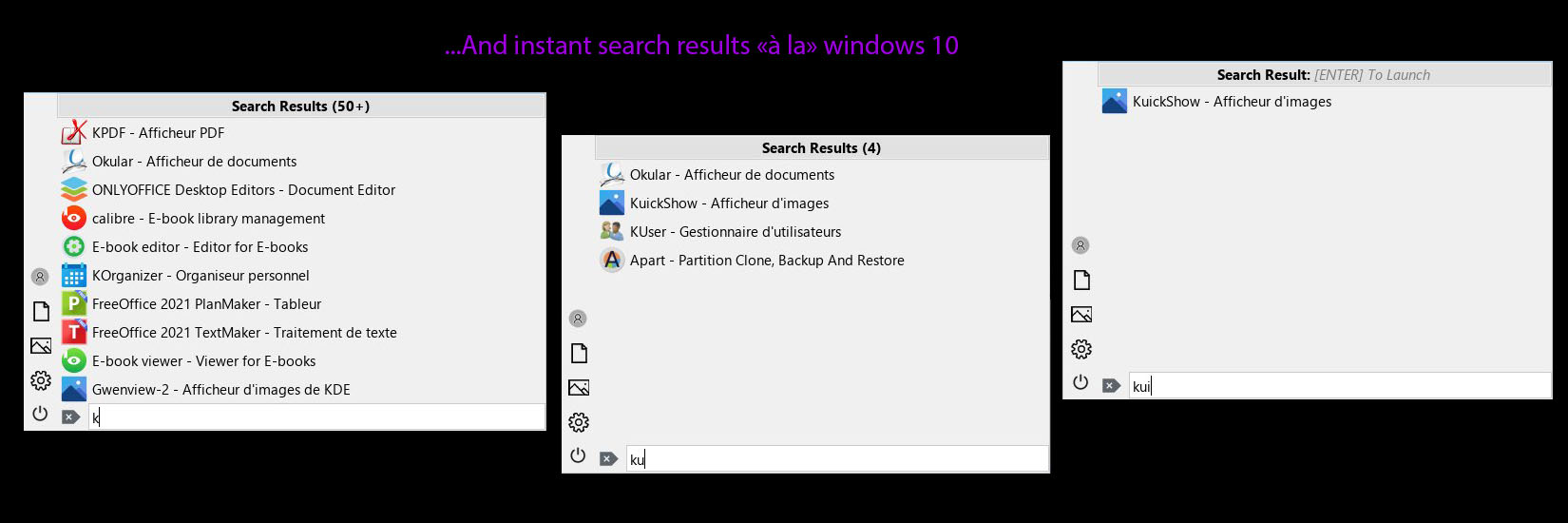
-Type-to-Search: Start typing on any alphanumeric key to instantly enter search mode — no dedicated search bar activation required (same UX as the Windows 10 Start Menu). Navigation keys (Enter, ESC, arrows) are not intercepted.
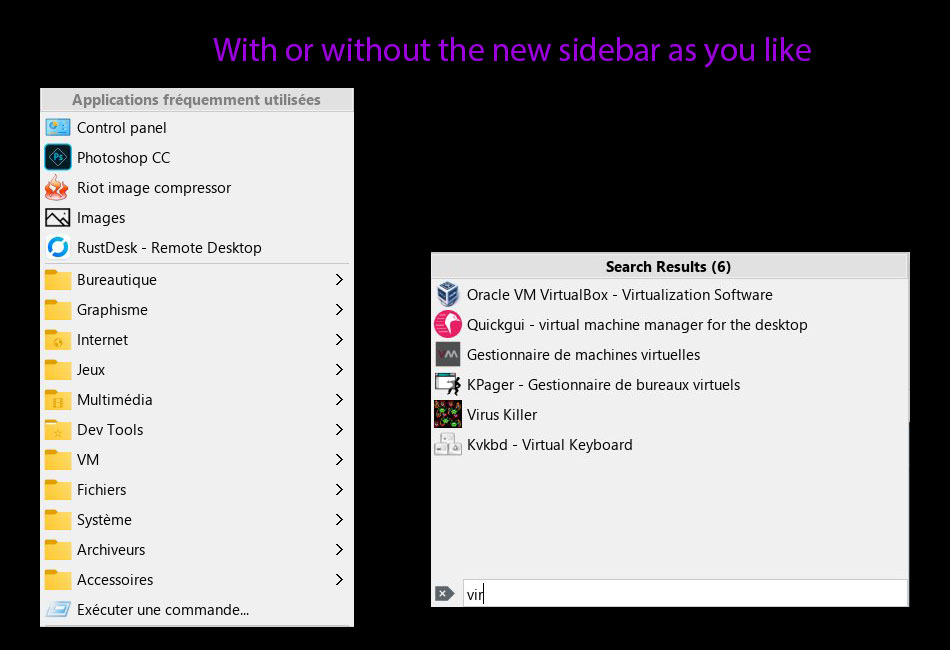
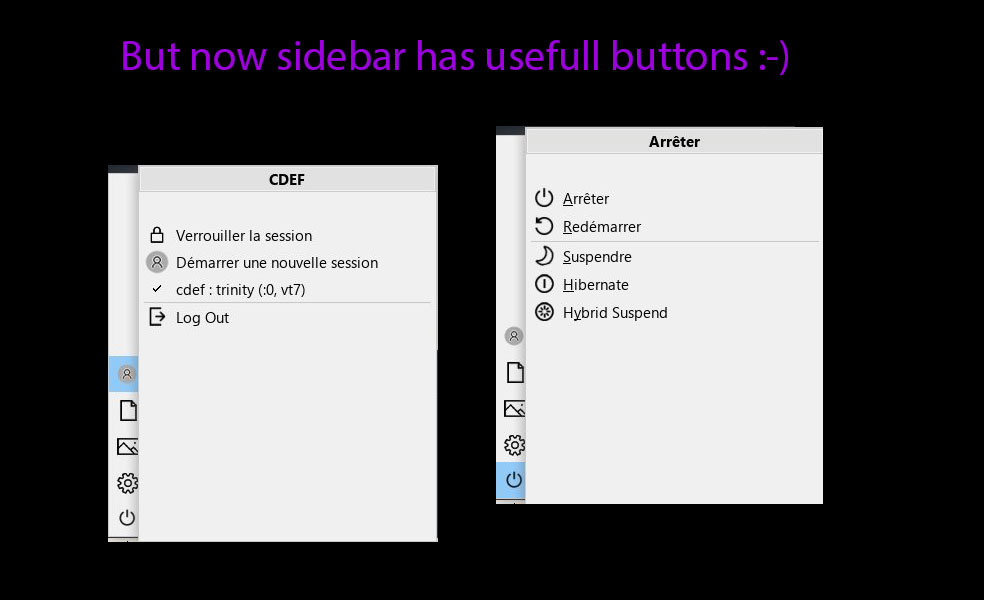
-Modern Interactive Sidebar: Windows 10-inspired quick access buttons for Switch User, Documents, Pictures, Settings, and Log Out
-Interactive quick access buttons Menu Titles:
-Toggle Recent/Frequent: Click the "Recently Used Applications" title to instantly swap to "Most Used" (and vice-versa) without closing the menu.
-Direct Shutdown: Click the "Shutdown" title in the logout menu to launch the "classic" shutdown dialog.
-User Config: Click the user name in the sessions menu to open the user configuration module.
-Instant Filtering: Flat view of matching results as you type, replacing the legacy tree path highlighting logic.
-Bottom-Anchored Search Bar: Search entry appears at the bottom of the menu only when actively searching.
-Dynamic Result Titles: Live result count ("Search Results (50+)"), empty state feedback ("No Results Found").
-Single Match Auto-Launch: When only one result matches, pressing Enter launches it immediately :-)
-Contextual ESC: First press clears the search query and returns to normal menu. Second press closes the menu.
-Auto-Reset: Full menu tree is automatically restored after launching an application or dismissing the menu.
-Transparency: Configurable Menu (+ sub menus) Transparency.
-Custom background color: Configurable Menu (+ sub menus) background color with adaptive hover color.
Some screenshots (with a windows 10 theme & deco and icons, but of course you can use whatever deco/theme/icons you want):
Hosted here:
https://github.com/seb3773/tde-kmenu_classic-x
(hope the compilation guide is ok)
( + .deb packages for tde14.1.1 & tde14.1.5 in release section if needed)
I hope you’ll like it. I’ve been using it for a while without any issues, but I’m all ears for any bugs or problems you might encounter. Feedback and criticism are, as always, very welcome! 
Last edited by seb3773 (2026-02-23 11:25)
Debian & Q4OS (TDE!!), low-level C, ASM (z80/68k/x86/ARM64), embedded systems, CPU architectures (RISC-V, binary formats, assembly), retro-computing, metal music, guitar and sci-fi.
Offline
Pages: 1
- Registered users online in this topic: 0, guests: 2