You are not logged in.
- Topics: Active | Unanswered
#1 2025-10-12 11:12
- theasmitkid
- Member
- From: NCT of Delhi
- Registered: 2025-01-26
- Posts: 357
TDE: Unexpected Behaviour of Submenus and Menubar Panel
1. Menu/Submenu
its not possible to take screenshots of tqt menus and submenus so i'd have to describe it.- go to desktop/any tde app
- open any menu (like right click menu)
- open submenu (like "Create New")the submenu kinda overlaps the main menu on the right side. assuming the coordinates of main menu's right edge to be 0,0 pixels, the submenu opens at ~(-8,-3) (should be 0,0)
this happens with every single trinity app.
2. Menubar Panel/Global Menu
its interesting and i like it, only issue with functionality being it only supports tde apps natively..a. so first, is there something like appmenu-gtk2/3/4-trinity appmenu-qt4/5/6-trinity to support qt and gtk apps too?
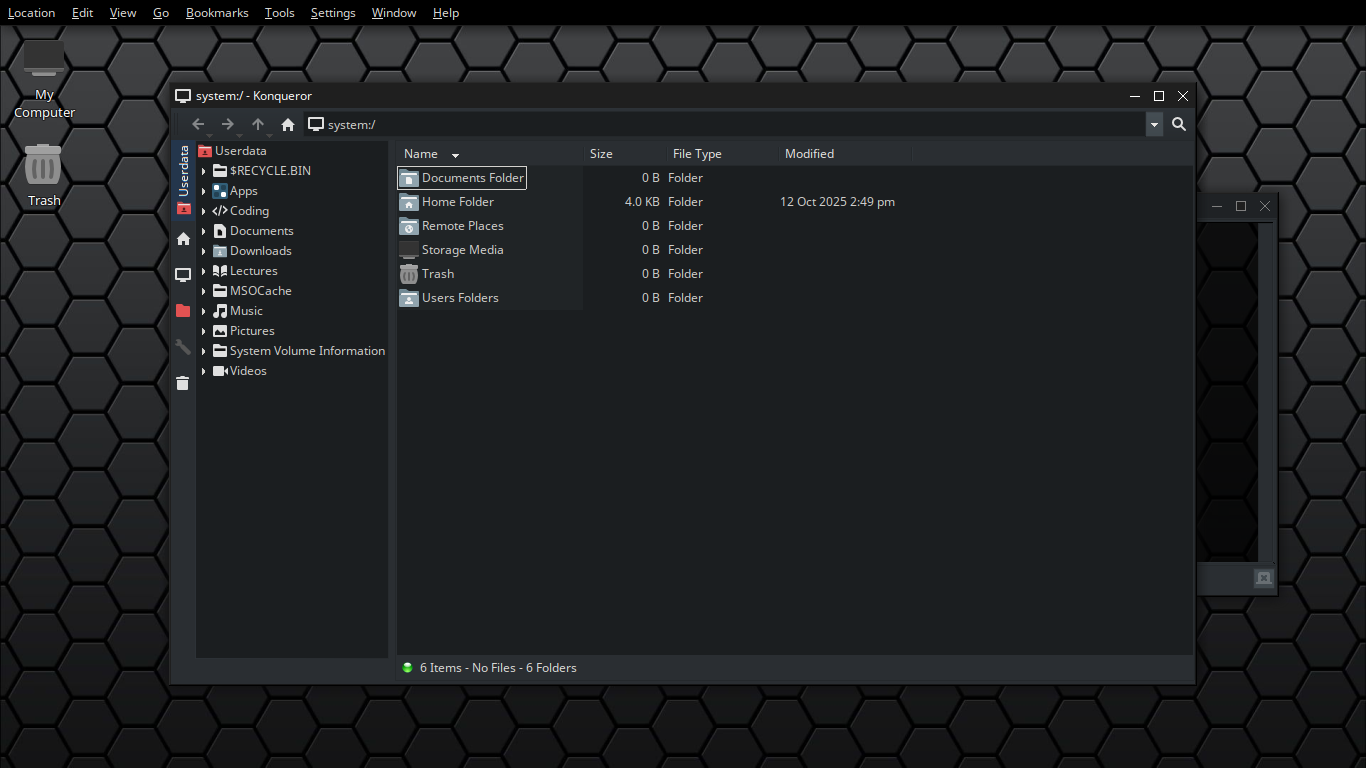
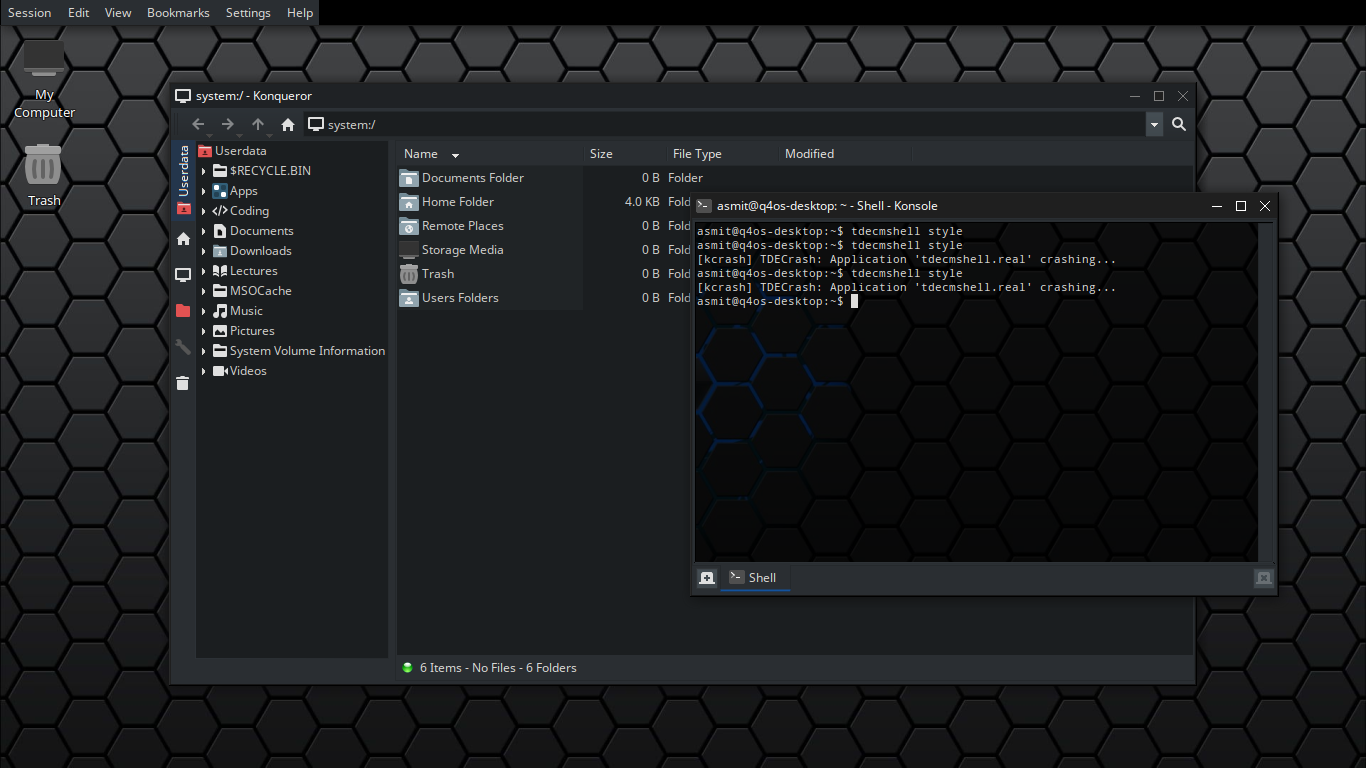
b. putting this aside, i enabled it today and it works with some tde apps like it should.. and unexpectedly in some other apps, see these for example.
(Focused: konqueror)
(Focused: konsole)here's the configs related to this.
(kickerrc)
[AddAppletDialog Settings]
Height 768=714
Width 1366=1362

[Applet_1]
ConfigFile[$e]=ktaskbarrc
DesktopFile[$e]=taskbarapplet.desktop
FreeSpace2=0
WidthForHeightHint=155

[Applet_2]
ConfigFile[$e]=systemtray_panelappletrc
DesktopFile[$e]=systemtrayapplet.desktop
FreeSpace2=1
WidthForHeightHint=319

[Applet_3]
ConfigFile[$e]=minipager_panelappletrc
DesktopFile[$e]=minipagerapplet.desktop
FreeSpace2=1
WidthForHeightHint=64

[BrowserButton_1]
FreeSpace2=0
Icon=folder-red
Path[$e]=/userdata

[BrowserButton_2]
FreeSpace2=0
Icon=folder_home
Path[$e]=$HOME

[Colors]
CurrentPalette=* Custom Colors *

[DesktopButton_1]
FreeSpace2=1

[General]
Alignment=1
Applets2=KMenuButton_1,BrowserButton_1,BrowserButton_2,Applet_1,Applet_2,Applet_3,DesktopButton_1
AutoHideDelay=0
AutoHidePanel=true
AutoHideSwitch=false
BackgroundHide=false
BackgroundTheme=/opt/trinity/share/apps/kicker/pics/panel_black.png
BourbonAppsString=Apps
BourbonBoldFolders=true
BourbonLeftToRight=false
BourbonMenu=true
BourbonMenuHeightDefault=508
BourbonMenuWidthDefault=414
BourbonShowExecutables=true
BourbonShowSysViewApps=false
BourbonShowSysViewFolders=true
BourbonSysViewBackgroundColor=42,46,50
BourbonSysViewCustomItems=ungoogled-chromium.desktop,thunar.desktop,freetube.desktop,chrome-bcngdmpegpihnheapppgoniglphkpfhm-Default.desktop,htop.desktop,konsole.desktop
ColorizeBackground=true
CustomSize=31
ExpandSize=true
Extensions2=
FadeOutAppletHandles=false
HideAnimation=false
HideAnimationSpeed=100
HideAppletHandles=false
HideButtonSize=14
IExist=true
KMenuHeight=675
KMenuWidth=461
LegacyKMenu=false
Locked=true
Mask=true
MenubarPanelBlurred=true
MenubarPanelTransparent=true
Northern=false
OpenOnHover=true
Rotation=90
ShowAlternativeShortcutConfig=true
ShowDeepButtons=false
ShowIconActivationEffect=false
Size=4
SizePercentage=100
TintColor=0,0,0
TintValue=0
UnhideLocation=0
UntrustedApplets=
UntrustedExtensions=
UseBackgroundTheme=true
UseResizeHandle=false
XineramaHideSwitch=true
XineramaScreen=0
panelIconWidth=48

[KMenu]
CustomIcon=kmenu
SearchShortcut=/
Text=
UseSearchBar=false
UseSidePixmap=false

[KMenuButton_1]
FreeSpace2=0

[Menubar Panel]
ConfigFile[$e]=kicker_menubarpanelrc
DesktopFile[$e]=childpanelextension.desktop
UserHidden=0

[button_tiles]
EnableBrowserTiles=false
EnableDesktopButtonTiles=false
EnableKMenuTiles=false
EnableURLTiles=false
EnableWindowListTiles=false
KMenuTile=Colorize
KMenuTileColor=0,0,0

[buttons]
EnableIconZoom=true
EnableTileBackground=false

[menus]
Extensions=
Favorites=...
MenuEntryFormat=NameAndDescription
MenuEntryHeight=22
NumVisibleEntries=6
RecentAppsStat=...
RecentVsOften=true
ShowMenuTitles=false
UseBookmarks=false
UseBrowser=false
(kicker_menubarpanelrc)
[Applet_1]
ConfigFile[$e]=menu_panelappletrc
DesktopFile[$e]=menuapplet.desktop
FreeSpace2=0
WidthForHeightHint=111

[General]
Applets2=Applet_1
CustomSize=25
IExist=true
Position=2
Size=4
XineramaScreen=-2
c. autohiding menubar panel works.. partially, it autohides but it doesnt unhide.. here's the config
(kicker_menubarpanelrc)
[Applet_1]
ConfigFile[$e]=menu_panelappletrc
DesktopFile[$e]=menuapplet.desktop
FreeSpace2=0
WidthForHeightHint=111

[General]
Applets2=Applet_1
CustomSize=25
IExist=true
Position=2
Size=4
XineramaScreen=-2
AutoHideDelay=0
AutoHidePanel=true
UnhideLocation=1
HideAnimation=false
HideAnimationSpeed=100
Last edited by theasmitkid (2025-11-29 15:06)
Coding & Robotics Enthusiast | Windows 7 x86 @ n2600 · 2GB · 320GB HDD (No graphics acceleration available in linux)
Offline
#2 2025-10-13 11:32
- q4osteam
- Q4OS Team

- Registered: 2015-12-06
- Posts: 6,378
- Website
Re: TDE: Unexpected Behaviour of Submenus and Menubar Panel
Add 1. We assume this is a TDE design, nothing too unexpected. You may get more info from TDE developers.
Add 2. We know no such support for appmenu-gtk2/3/4-trinity appmenu-qt4/5/6-trinity
Offline
#3 2025-10-13 15:53
- theasmitkid
- Member
- From: NCT of Delhi
- Registered: 2025-01-26
- Posts: 357
Re: TDE: Unexpected Behaviour of Submenus and Menubar Panel
Add 1. We assume this is a TDE design, nothing too unexpected. You may get more info from TDE developers.
Well considering that this doesn't happen when submenu pop ups on left side, I guess it is just a miscalculation.
Add 2. We know no such support for appmenu-gtk2/3/4-trinity appmenu-qt4/5/6-trinity
I'll see what I can do, can you confirm b. and c. ?
Coding & Robotics Enthusiast | Windows 7 x86 @ n2600 · 2GB · 320GB HDD (No graphics acceleration available in linux)
Offline
- Registered users online in this topic: 0, guests: 1