You are not logged in.
- Topics: Active | Unanswered
Pages: 1
#1 2026-08-19 13:39
- seb3773
- Member

- From: France
- Registered: 2023-11-01
- Posts: 286
YaBatman (Yet another Battery manager)
Yabatman is a comprehensive and highly configurable battery monitor and advanced power management tool for Linux. Built natively for the Trinity Desktop Environment (TQt3), Yabatman can also be compiled in standalone static mode to run seamlessly on any standard Linux desktop environment (GNOME, KDE Plasma, XFCE, MATE, LXQt, i3, Hyprland, etc.) without requiring any Trinity or TQt3 system packages.
It combines the exhaustive hardware insights of a premium battery monitor with the aggressive power-saving techniques of advanced daemons like TLP — all in a single, cohesive application.
Designed with both performance and footprint in mind, Yabatman consists of an ultra-lightweight C daemon (yabatmand, ~38KB) and a rich, fast C++/TQt3 graphical client (yabatman, ~350KB in dynamic mode, ~2.9MB in standalone static mode). Together, they deliver what is probably one of the most feature-complete battery monitor and power management suites available on Linux.
Philosophy
Most Linux power management solutions are either a graphical battery monitor with limited control, or a CLI-only daemon with no visual feedback or with the need of another ui to control it. Yabatman does both.
No polkit, no sudo prompts: The daemon runs as root via systemd; the GUI communicates through a simple Unix socket. No policy frameworks, no authentication popups — just instant, transparent control.
Zero bloat: Both binaries are compiled with aggressive LTO, section GC, and sstrip. The daemon idles at virtually zero CPU. The GUI loads instantly.
- Universal compatibility: Can be compiled natively for Trinity (TDE) or in standalone static mode (./build.sh static) to run on any Linux distribution and desktop environment without installing TDE/TQt3 dependencies.
- Everything in one place: Battery status, hardware details, charge history, power profiles, process freezing, screen management, screensavers — all accessible from one system tray icon.
- Fully configurable: 10 dedicated settings panels let you tune every aspect of power behavior, from USB autosuspend exclusions to per-SSID security policies.
Key Features
Yabatman aims to be one of the most complete battery and power management suites available on Linux, offering features that range from hardcore system optimization to optional visual candy :-)
* Comprehensive Battery Monitoring
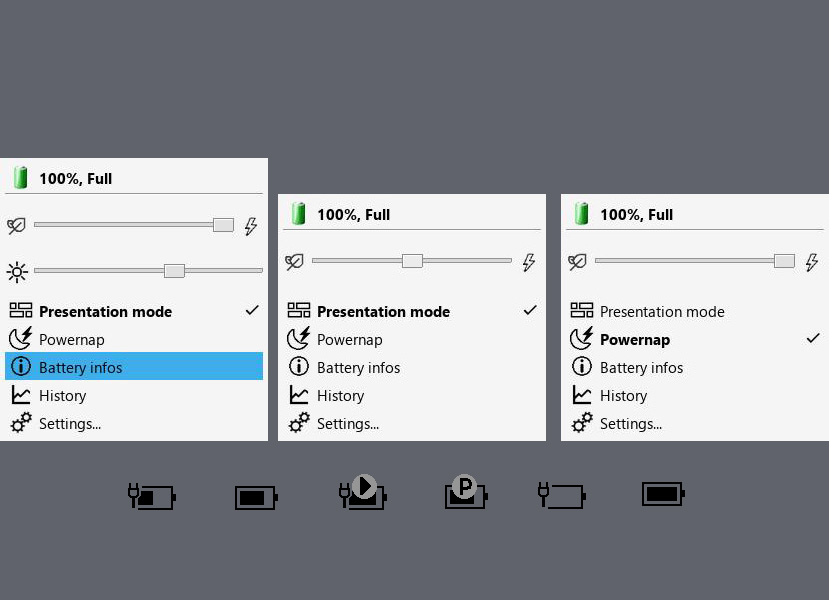
Dynamic System Tray Integration: Fully customizable tray icon with adaptive colors, charging animations, and critical level blinking. Choose between symbolic or coloured icon styles with per-level color configuration.
Custom Popup Dashboard: A sleek, dark/light mode compatible floating panel for quick access to brightness control, performance profiles, and instant metrics (charge rate, discharge rate, estimated time remaining).
* Exhaustive Battery Info Dialog: Deep insights into your hardware — Vendor, Technology, Design/Full/Current Capacity, precise Voltage statistics (min/max/current), instantaneous charge/discharge rates in Watts, cycle count, battery health percentage, and manufacturing data.
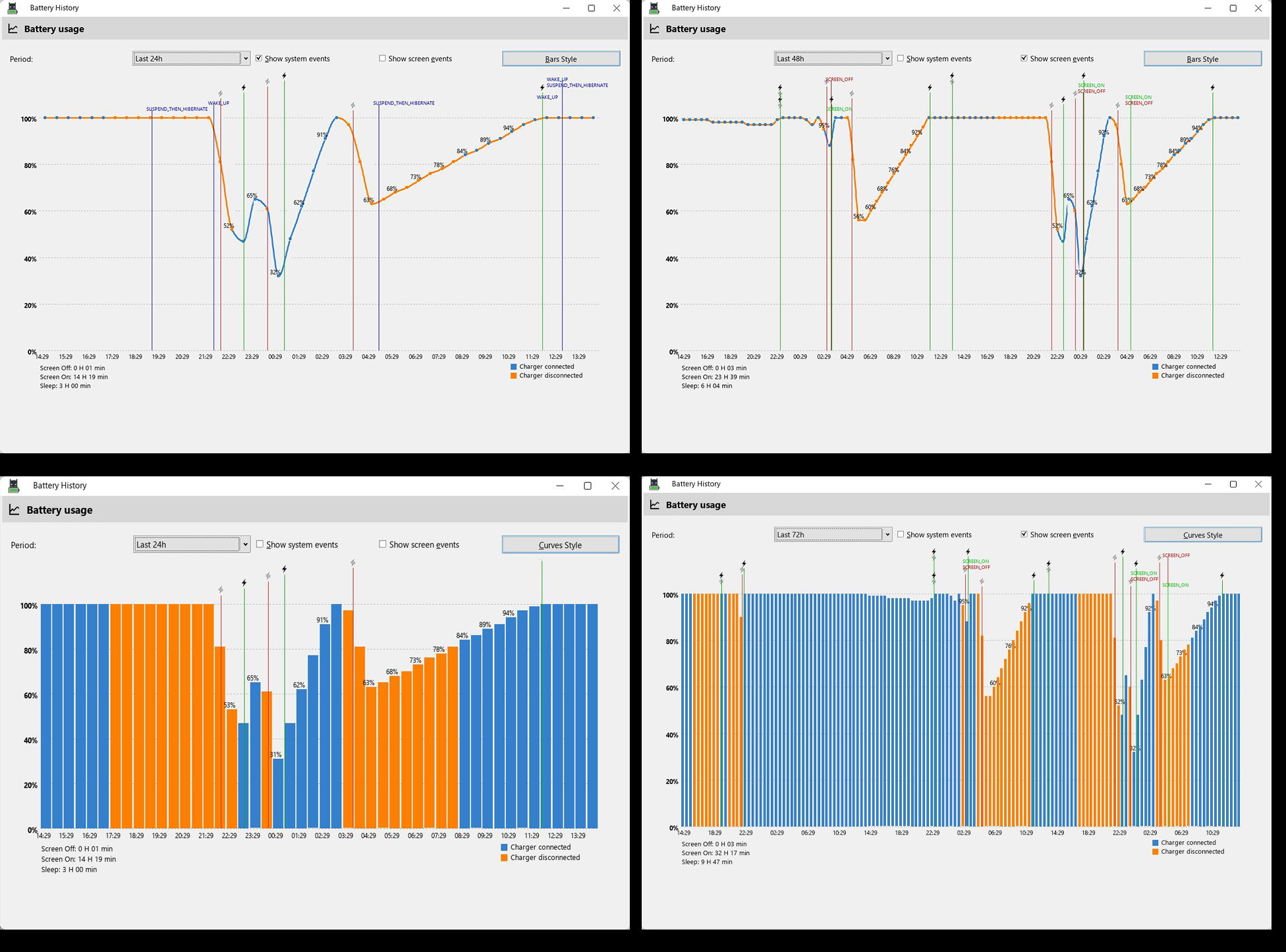
Battery History Logger: A built-in graphical history viewer with a compact binary format. Track charge/discharge curves over 24h, 48h, or 72h periods, overlaid with system suspend events and screen on/off transitions. Average charge/discharge rates are computed from real historical data.
* Advanced Power Management
Yabatman incorporates aggressive power-saving logic inspired by the fantastic work of the TLP project (huge thanks to the TLP developers for paving the way in Linux power management). In many areas, Yabatman goes further by offering real-time GUI control and features not available in TLP.
Dynamic Profiles: Three switchable profiles — Eco, Balanced, and Performance — each with independent settings for AC and Battery mode.
CPU Governor & Frequency Control: Set CPU governor (powersave, performance, schedutil), configure maximum frequency caps, and limit active CPU cores.
PCI & SATA Power Policies: Control PCI device power management (default / power_supersave) and SATA link power management (med_power_with_dipm, max_performance, etc.).
USB Autosuspend: Enable/disable USB autosuspend globally with automatic exclusion of HID devices (mice, keyboards) and audio interfaces to prevent input lag.
Wi-Fi Power Saving: Toggle WiFi power management on/off per profile, with auto-disable based on network inactivity.
Webcam Power Control: Automatically unbind/rebind USB webcam drivers to eliminate idle power draw.
Backlight Management: Direct sysfs brightness control with adaptive dimming on inactivity.
Services Freezing: Automatically freeze non-essential systemd services (e.g., baloo, updatedb, tracker) when on battery. Fully configurable whitelist/blacklist.
Processes Freezing: Freeze heavy user-space processes on critical battery. Configurable whitelist/blacklist with regex-based process matching.
Smart Inactivity Detection: Adaptive screen dimming → display sleep → system suspend pipeline with configurable timeouts for AC and Battery independently. Integrated MPRIS detection prevents sleep during media playback, video calls, or presentations.
Security & Session Management
Session Locking: Configurable lock-on-display-off and lock-on-sleep behavior.
Trusted SSIDs: Define trusted Wi-Fi networks where session locking is automatically disabled (e.g., your home network).
Power & Sleep Button Actions: Configure system response to hardware buttons (Sleep, Hibernate, Hybrid Sleep, Shutdown, Ask User, Do Nothing).
Lid Close Actions: Independent lid-close behavior for AC and Battery modes.
Battery Health & Calibration
Charge Limiting: Hardware-supported charge end thresholds to prolong battery lifespan (e.g., cap charging at 80%). Automatically detects hardware capability.
Calibration Assistant: A dedicated state machine with overlay UI to guide you through full charge/discharge calibration cycles for accurate capacity reporting.
Visuals & Screensavers (Optional)
Because power management doesn't have to be boring, Yabatman includes optional visual features:
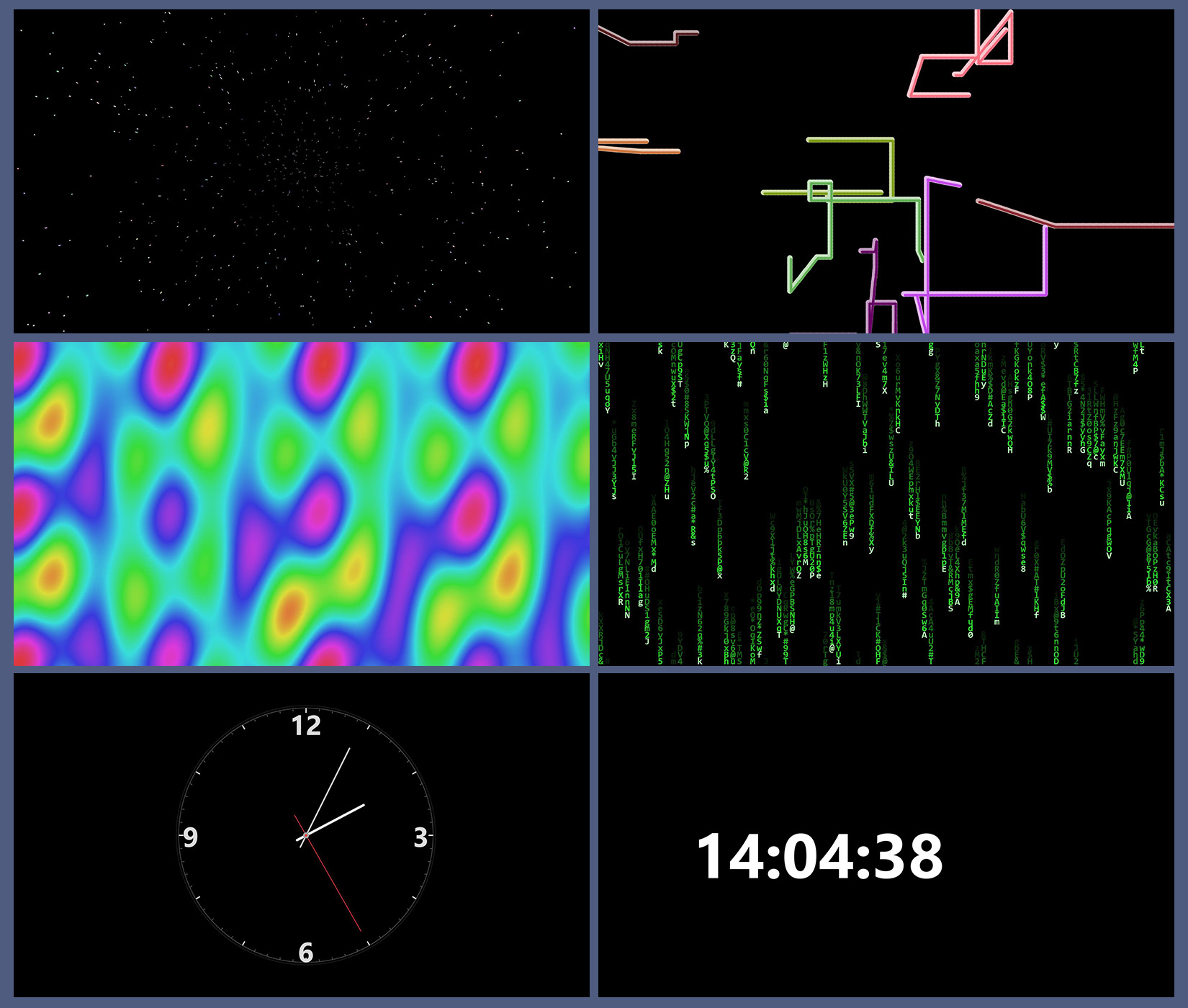
7 Built-in Screensavers: Digital Clock (bouncing), Analog Clock (with sweep second hand and burn-in protection orbit), Matrix Digital Rain, 3D Pipes, Plasma Clouds, Pictures Slideshow (with Ken Burns zoom effect and crossfade transitions), and Starfield Warp.
Slideshow Configuration: Choose image directory, enable random order.
Transition Effects: Smooth sleep/shutdown transition animations — "Old TV turn-off", Circular Wipe, Fade Out, or Random.
* Presentation Mode: One-click toggle to suppress all power actions (dimming, sleep, screensaver) during presentations.
* Powernap Mode: Prevents system sleep/suspension when closing the laptop lid while connected to AC power. Blackouts the laptop display and applies reduced power settings (Low CPU profile, optional Wi-Fi/Bluetooth disabling) so background tasks (downloads, builds, encoding, background scripts) can continue running safely without overheating or sleeping.
Appearance & Customization
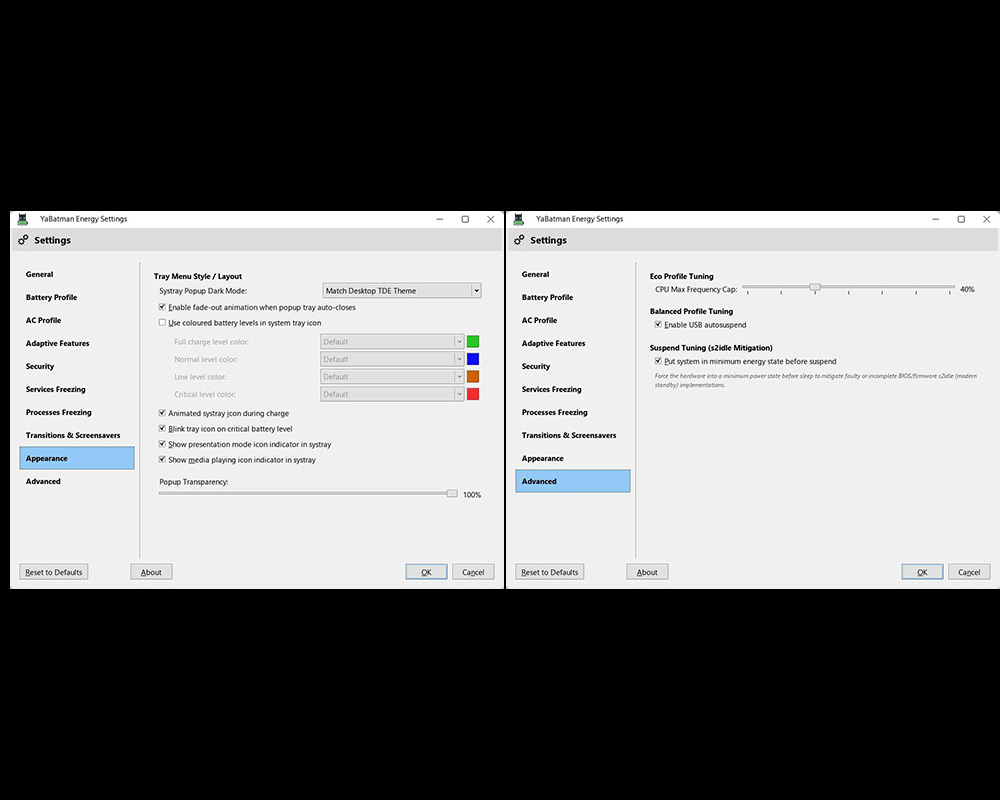
10 Settings Panels: General, Battery Profile, AC Profile, Adaptive Features, Security, Services Freezing, Processes Freezing, Transitions & Screensavers, Appearance, and Advanced.
Tray Icon Styles: Symbolic (monochrome) or Coloured icons with per-level color customization (Normal, Warning, Critical).
Popup Transparency: Adjustable popup opacity.
------------------------------------------------------------------------------------------------
1.2 big update:
• AMD APU Freeze Protection: Added intelligent per-card detection (is_amd_apu) to identify integrated AMD APUs (Ryzen mobile series with Vega / RDNA graphics). APUs share power and memory buses with the CPU; forcing GPU DPM to "high" without active 3D load causes SMU deadlocks and display hangs. On AMD APUs, GPU DPM is now safely maintained at "auto", eliminating desktop freezes when switching to Performance mode. Discrete AMD GPUs continue to utilize the "high" performance level.
• Rebalanced Standard Performance Profile: The standard Performance profile has been optimized for everyday high-performance laptop usage. It retains aggressive CPU boost, maximum clock caps, fast I/O, and power-save disablement, while keeping PCIe ASPM at "default", PCI Runtime PM on "auto", and allowing CPU idle downclocking. This prevents NVMe/Wi-Fi bus drops and unnecessary heat when idling.
• Extreme Performance (Ultra Mode) Toggle: Added a dedicated "Performance Profile Tuning" option in Settings > Advanced. When enabled, the Performance profile unlocks extreme hardware tuning (disables PCIe ASPM power saving, disables PCI runtime power management, and raises idle base clocks) for benchmarks and sustained compute tasks, while strictly maintaining AMD APU safety invariants.
• Instant Settings Synchronization: Advanced profile tuning settings (Eco frequency cap, balanced USB autosuspend, Ultra mode, battery charge limits) are now synchronously pushed to the daemon immediately upon saving settings.
• Repository & Package Updates: Updated APT repository metadata and release packages.
------------------------------------------------------------------------------------------------
.deb package and .qsi packages provided for easy installation.
https://github.com/seb3773/YaBatman
https://github.com/seb3773/YaBatman/releases
.qsi package:
https://github.com/seb3773/YaBatman/rel … _amd64.qsi
.deb:
https://github.com/seb3773/YaBatman/rel … _amd64.deb
static .deb :
https://github.com/seb3773/YaBatman/rel … static.deb
Screenshots: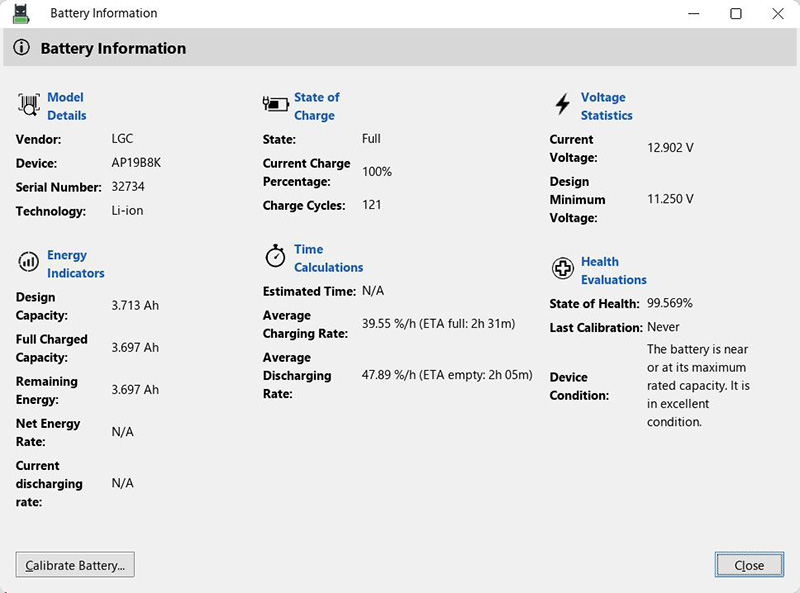
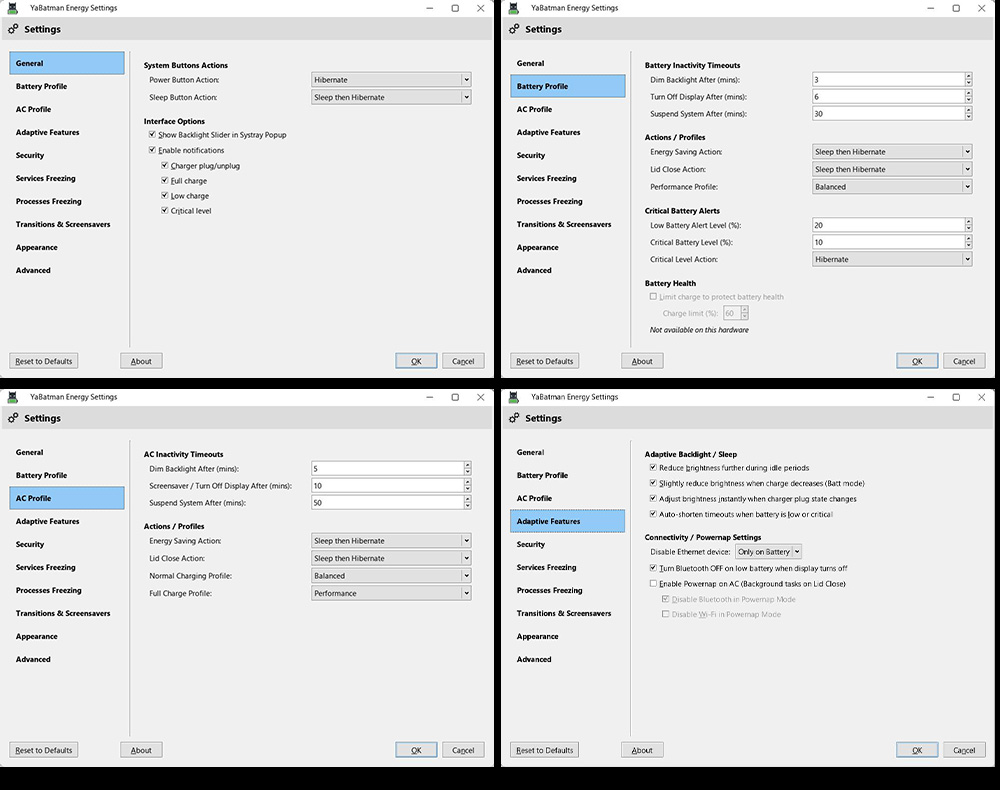
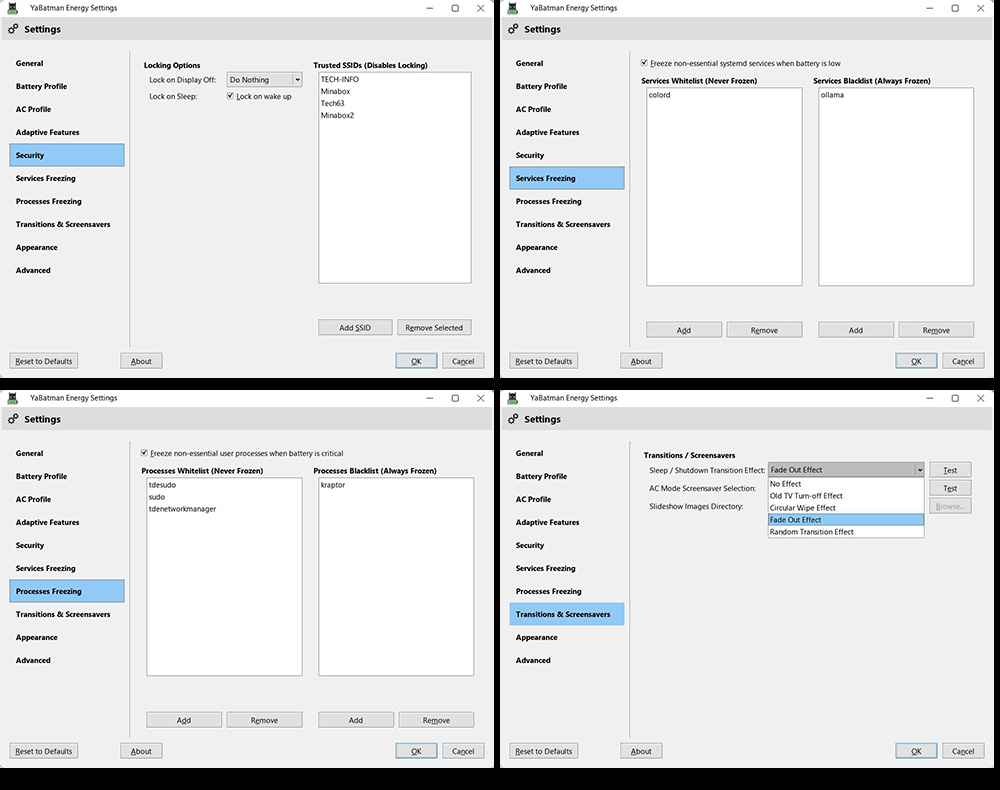

Last edited by seb3773 (2026-09-10 13:43)
Debian & Q4OS (TDE!!), low-level C, ASM (z80/68k/x86/ARM64), embedded systems, CPU architectures (RISC-V, binary formats, assembly), retro-computing, metal music, guitar and sci-fi.
Offline
Pages: 1
- Registered users online in this topic: 0, guests: 1