You are not logged in.
- Topics: Active | Unanswered
#1 2025-10-19 16:13
- theasmitkid
- Member
- From: NCT of Delhi
- Registered: 2025-01-26
- Posts: 357
TDE: Share Files via SMB (Windows <-> Q4OS <-> Android)
This guide shows how to setup the Samba protocol for Konqueror
Note: Just like Linux, Android does not allow binding to ports under 1024 without root, so MiXplorer's smb port has to be set to above 1024.
But since Konqueror only allows port 445, we need to make a proxy.Note: Samba Share which uses the default port (445) should work out of the box and do not need steps 5 to 10.
Note: Steps 1 to 5 are for shares discovery, and overall improving the user experience~
Step 0: Setup MiXplorer
Open MiXplorer
Click on the Kebab menu button on the top right corner, and click on servers
Click on the pen (edit button) next to Start SMB1 Server
Create Accounts, for example, set username to internal, password to password working directory to /storage/emulated/0
Set port to 1445
Click on Start SMB Server to start
Open MiXplorer - SMB Server notification, you should see your device's ip as well as the working port
Bonus: You can add a "SMB Server" tile in quick settings menu as well as a home screen shortcut to start the server with ease
Note: MiXplorer's shares are at smb://username:password@YOUR_IP:YOUR_PORT/SHARED
Example Share Url:smb://internal:password@192.168.43.243:1445/SHARED
Step 1: Install Recommended Packages
Open a terminal and run:
sudo apt-get install samba socat lisa-trinity tdenetwork-filesharing-trinity tdebase-tdeio-smb-trinity -yStep 2: Add Host
Open a terminal and run:
sudo nano /etc/hostsAdd the following:
YOUR_IP YOUR_SHARE_NAMEExample IP: 192.168.43.121
Example Share Name: asmit-mini200
Step 3: Enable SMBv1
Open a terminal and run:
sudo nano /etc/samba/smb.confAdd the following in the [global] block :
client min protocol = NT1
client max protocol = SMB3
server min protocol = NT1
Step 4: Configure LISa
Open a terminal and run:
sudo nano /etc/lisarcEdit the following keys:
SearchUsingNmblookup    =       1
DeliverUnnamedHosts     =       1
Enable autostart:
sudo systemctl enable lisa-trinityUpgrade to samba 4.23. It brings new keys which allows non default ports.
You can Build Samba from Source (Recommended Method)
Or you can download the required samba packages from debian forky (version 4.23.2, tested and working on debian trixie based Q4OS 6 as of today).
Or you can add trixie-backports repo and install the latest samba from there!
Here's a list of required samba packages (possibly incomplete)
libldb2_2.11.0+samba4.23.2+dfsg-1_amd64.deb
libsmbclient0_4.23.2+dfsg-1_amd64.deb
libtevent0t64_0.17.1+samba4.23.2+dfsg-1_amd64.deb
libwbclient0_4.23.2+dfsg-1_amd64.deb
python3-ldb_2.11.0+samba4.23.2+dfsg-1_amd64.deb
python3-samba_4.23.2+dfsg-1_amd64.deb
samba_4.23.2+dfsg-1_amd64.deb
samba-common_4.23.2+dfsg-1_all.deb
samba-common-bin_4.23.2+dfsg-1_amd64.deb
samba-libs_4.23.2+dfsg-1_amd64.deb
smbclient_4.23.2+dfsg-1_amd64.deb
winbind_4.23.2+dfsg-1_amd64.deb
Then Open a terminal and run:
sudo nano /etc/samba/smb.confAdd the following in the [global] block :
client smb transports = tcp, TCP:YOUR_PORTExample Port: 1445
---
Step 5: Install Additional Packages for MiXplorer
Open a terminal and run:sudo apt-get install socat -yStep 6: Add Host for MiXplorer
Open a terminal and run:sudo nano /etc/hostsAdd the following:
127.0.0.2 YOUR_SHARE_NAMEExample Share Name: asmit-tab48-smb-wifi
Step 7: Add Proxy Loopback
Open a terminal and run:sudo nano /etc/network/interfacesPaste the following at the end:
auto lo:1
iface lo:1 inet static
    address 127.0.0.2
    netmask 255.0.0.0
Step 8: Add Share Wrapper
Open a terminal and run:mkdir -p YOUR_PROXY_WRAPPER_PATHsudo nano /etc/samba/smb.confAdd the following at the end:
[SHARED]
   path = YOUR_PROXY_WRAPPER_PATH
   read only = no
Example Proxy Wrapper Path: /tmp/android-proxy
Step 9: Create Proxy Service
Open a terminal and run:sudo nano /etc/systemd/system/smb-proxy.servicePaste the following:
[Unit]
Description=Local SMB proxy (127.0.0.2:445 to YOUR_IP:YOUR_PORT)
After=network-online.target
Wants=network-online.target

[Service]
ExecStart=/usr/bin/socat TCP-LISTEN:445,bind=127.0.0.2,fork,reuseaddr TCP:YOUR_IP:YOUR_PORT
Restart=always
RestartSec=5

[Install]
WantedBy=multi-user.target
Enable and Start:
sudo systemctl daemon-reloadsudo systemctl enable --now smb-proxy.serviceStep 10: Configure LISa for MiXplorer
Open a terminal and run:sudo nano /etc/lisarcEdit the following keys:
PingAddresses           =       127.0.0.1/255.255.255.255;127.0.0.2/255.255.255.255;YOUR_IP_NETWORK_ADDRESS/255.255.255.0;
AllowedAddresses        =       127.0.0.1/255.255.255.255;YOUR_IP_NETWORK_ADDRESS/255.255.255.0;
BroadcastNetwork        =       YOUR_IP_NETWORK_ADDRESS/255.255.255.0;
Example Network Address: 192.168.43.0
Config's Done! Reboot your system and you can now access Samba Shares in konqueror as well as other trinity apps which support tdeio, for example, kate.
______________________________________________________
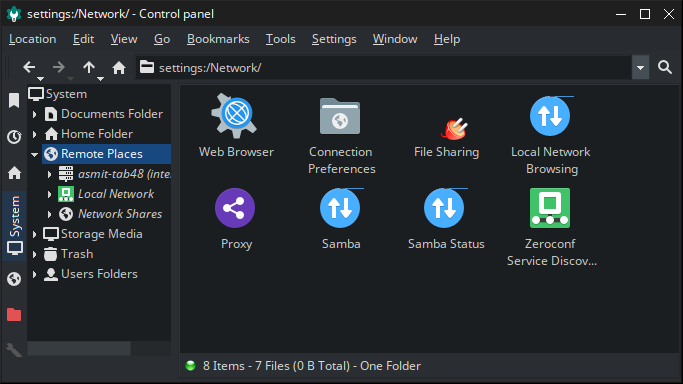
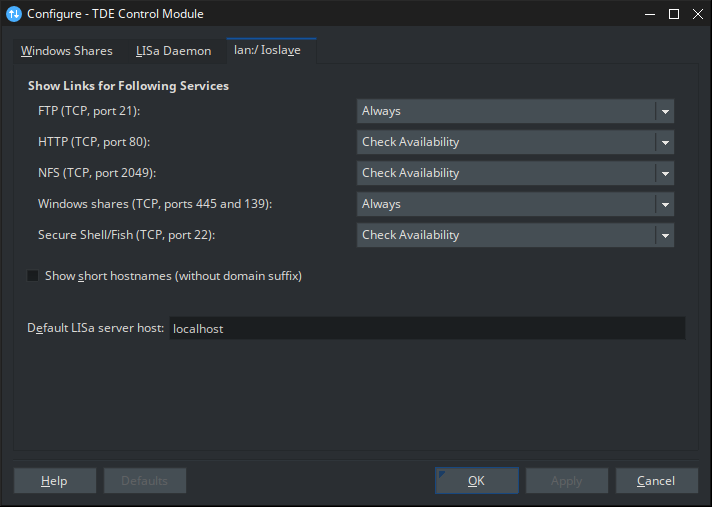
It is recommended to Always Show Links For Windows shares
_____________________________
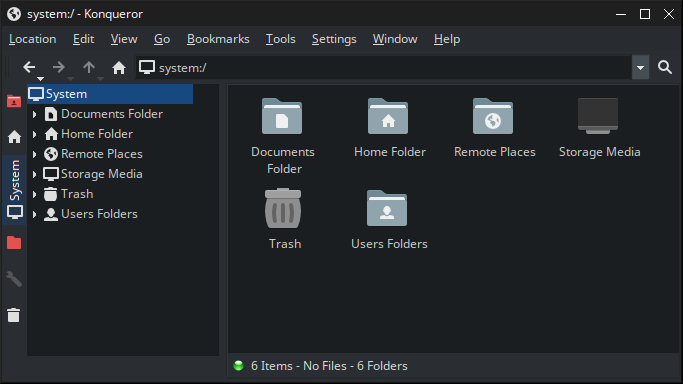
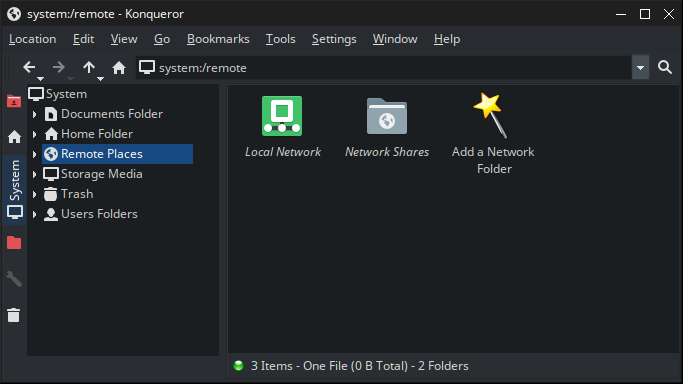
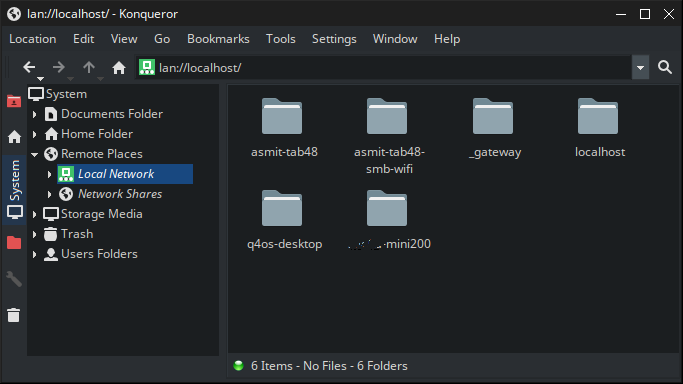
Here's a preview on how its working
_____________________________
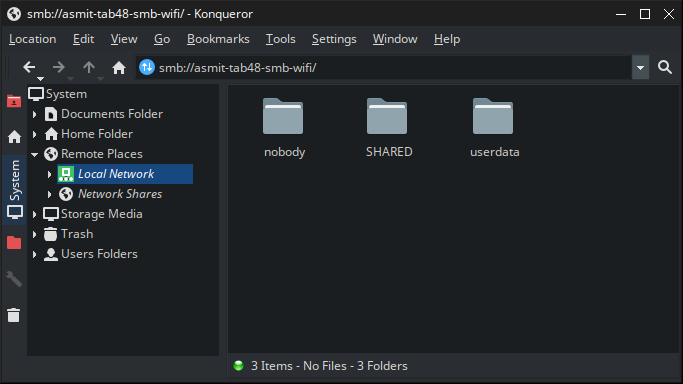
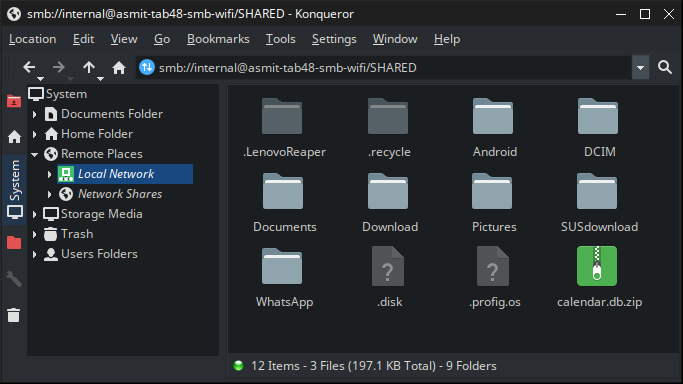
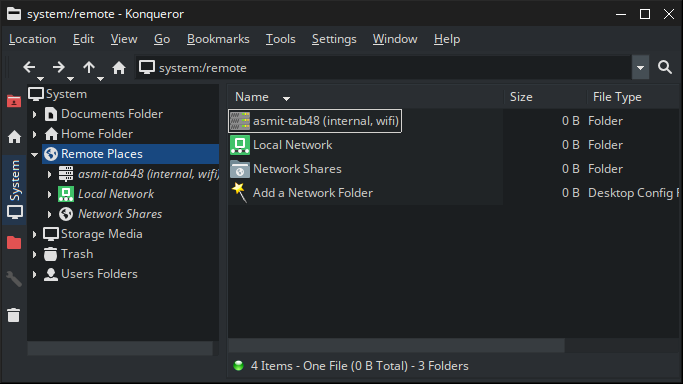
Here, q4os-desktop and localhost is your computer. asmit-tab48 is android on 192.168.43.243:1445, which konqueror does not support. asmit-tab48-smb-wifi is 127.0.0.2:445 which is proxied 192.168.43.243:1445. -mini200 is a windows-7 device.
Browsing the windows device: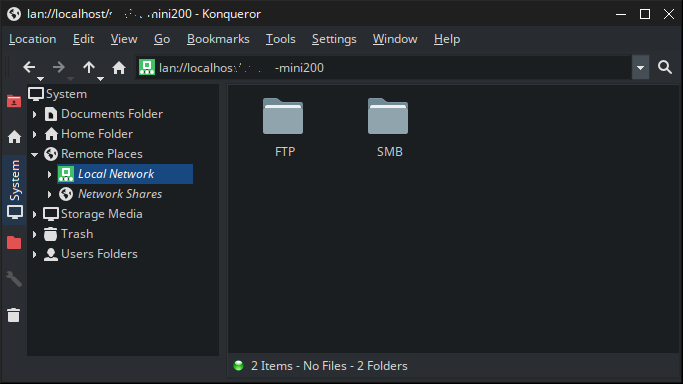
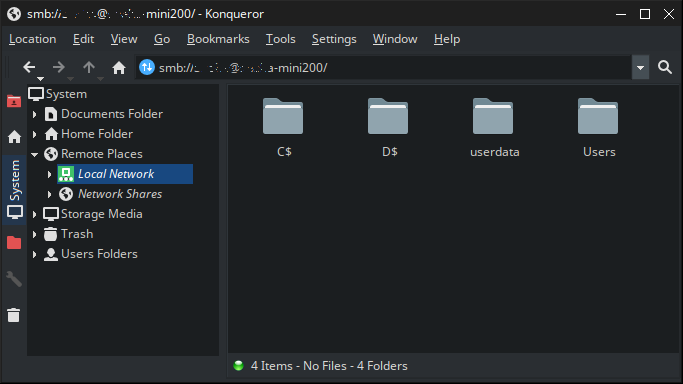
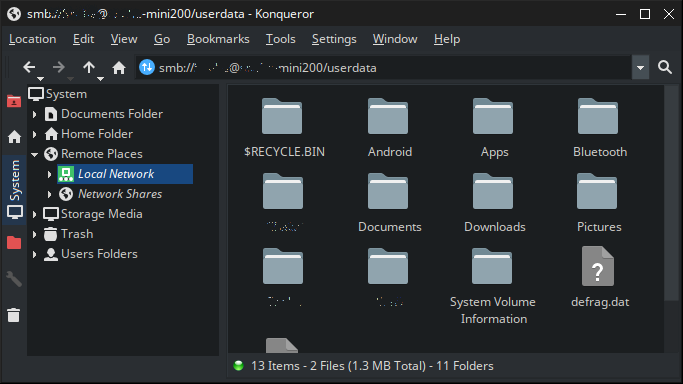
_______________________
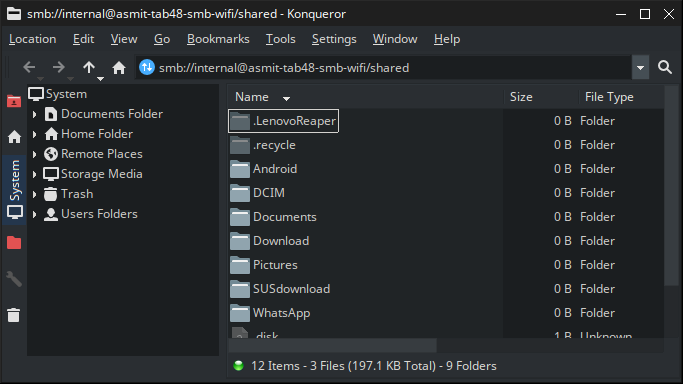
Browsing the android device: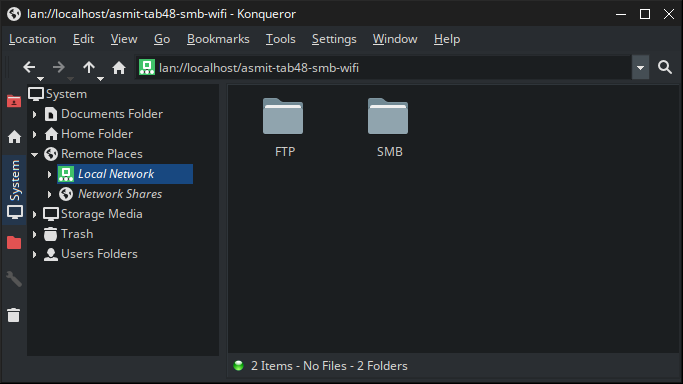
_________________________________________________________________________________________________________________________
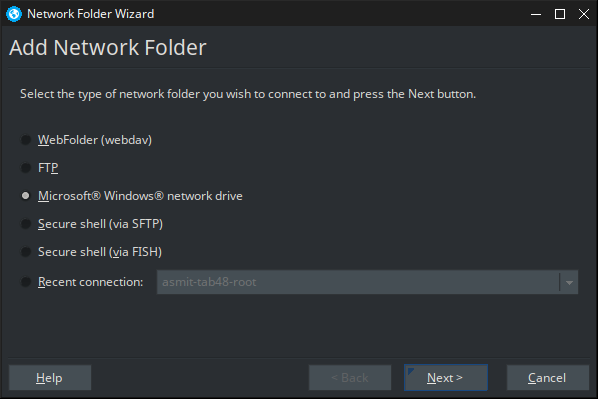
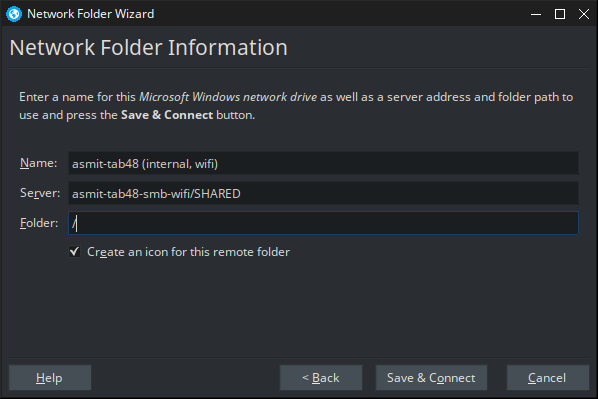
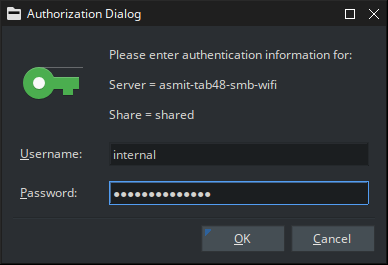
It is recommended to Add a Network Folder, because LISa sometimes does not show all the folders in lan:// but they are accessible non the less.
Last edited by theasmitkid (2025-12-30 10:26)
Coding & Robotics Enthusiast | Windows 7 x86 @ n2600 · 2GB · 320GB HDD (No graphics acceleration available in linux)
Offline
#2 2025-10-20 17:45
- theasmitkid
- Member
- From: NCT of Delhi
- Registered: 2025-01-26
- Posts: 357
Re: TDE: Share Files via SMB (Windows <-> Q4OS <-> Android)
Added alternative method! (I'm using the best but possibly unstable method, it integrates with the system way better and is lighter than the hard and stable method)
Coding & Robotics Enthusiast | Windows 7 x86 @ n2600 · 2GB · 320GB HDD (No graphics acceleration available in linux)
Offline
- Registered users online in this topic: 0, guests: 1