You are not logged in.
- Topics: Active | Unanswered
Pages: 1
#1 2025-07-11 06:58
- theasmitkid
- Member
- From: NCT of Delhi
- Registered: 2025-01-26
- Posts: 357
[SOLVED] suddenly can't boot into Q4OS
didn't use my lapy in a couple days/week, and now its stuck on "ASUS" logo for ~120s (compared to ~6s before these issues), then grub loads and when trying to boot up Q4OS, it fails and asks me to run
journelctl -xb which i did and these are the issues i see.. 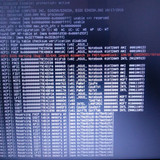



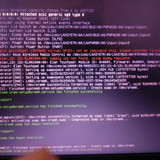
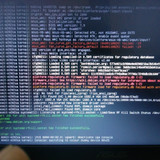
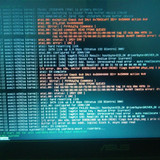
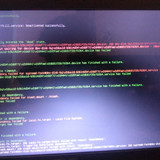
i can still boot up into windows 10(still stuck at asus logo for a long time before grub shows up) and fortunately i had all of my data in a ntfs /userdata partition so i can use windows for stuff i need right now, but i'd really appreciate if someone could help me fix my q4os installation.. if i need to do a reinstallation, i would probably wait for release of q4os 6 trinity stable, as i have daily data limit and can't download many images..
Last edited by theasmitkid (2025-08-03 10:51)
Coding & Robotics Enthusiast | Windows 7 x86 @ n2600 · 2GB · 320GB HDD (No graphics acceleration available in linux)
Offline
#2 2025-07-11 11:38
- q4osteam
- Q4OS Team

- Registered: 2015-12-06
- Posts: 6,378
- Website
Re: [SOLVED] suddenly can't boot into Q4OS
We guess this is some kind of hardware issue. It's probably not related to Q4OS or Windows, as it appears before any component of the operating system starts.
Offline
#3 2025-07-11 19:24
- crosscourt
- Banned
- Registered: 2017-05-07
- Posts: 2,706
Re: [SOLVED] suddenly can't boot into Q4OS
You could try running a live media session, see how the system reacts and whether it boots from that live session. That would also give you access to your data with gparted.
Offline
#4 2025-08-02 21:31
- theasmitkid
- Member
- From: NCT of Delhi
- Registered: 2025-01-26
- Posts: 357
Re: [SOLVED] suddenly can't boot into Q4OS
Okay I think I found the problem,
Soo i was trying to install primeos and one of the partition showed file system "unknown" so I tried to boot into q4os and got stuck on terminal and then I ran some commands.. i use /dev/sda5 as /stash (ext4) which has wine prefixes and other stuff that takes a lot of space and can't be put into my primary NTFS partition.
i found out that the "superblock" on /dev/sda5 is corrupt, I tried running e2fsck -b 32768 /dev/sda5 and it ran for around 10 minutes, showing infinitesimally scrolling numbers on the screen and then it ended, I tried to mount the partition but again got the same error
For now I have commented out the mount line in /etc/fstab and can boot into q4os, but can't access sda5.. i don't wanna format it because it has some important data..
how do i fix it?
Coding & Robotics Enthusiast | Windows 7 x86 @ n2600 · 2GB · 320GB HDD (No graphics acceleration available in linux)
Offline
#5 2025-08-03 10:48
- theasmitkid
- Member
- From: NCT of Delhi
- Registered: 2025-01-26
- Posts: 357
Re: [SOLVED] suddenly can't boot into Q4OS
I couldn't even format it.. then I wrote zeros in the drive then formatted it, and well now system boots with no problem and it doesn't even get stuck on Asus logo
I lost itch, pragtical, blissos and my custom wine prefixes so.. :<
Also I using Q4OS after such a long time, I feel like it's extremely slower than windows 10 (highly modified, i did it myself from official installation image, didn't download some sketchy iso) and primeos
I will try out Q4OS 6 Trinity when it becomes stable and if it's still as slow, I might go back to windows + cygwin for select applications..
Coding & Robotics Enthusiast | Windows 7 x86 @ n2600 · 2GB · 320GB HDD (No graphics acceleration available in linux)
Offline
#6 2025-08-03 11:06
- q4osteam
- Q4OS Team
- Registered: 2015-12-06
- Posts: 6,378
- Website
Re: [SOLVED] suddenly can't boot into Q4OS
... I using Q4OS after such a long time, I feel like it's extremely slower than windows 10 ...
Your system likely have some issue, Q4OS is not slower at all. You could try to reinstall, or wait for Q4OS-6. Please report the result.
Offline
#7 2025-08-03 11:09
- theasmitkid
- Member
- From: NCT of Delhi
- Registered: 2025-01-26
- Posts: 357
Re: [SOLVED] suddenly can't boot into Q4OS
I'd wait for Q4OS 6 for now
Coding & Robotics Enthusiast | Windows 7 x86 @ n2600 · 2GB · 320GB HDD (No graphics acceleration available in linux)
Offline
#8 2025-10-21 12:58
- theasmitkid
- Member
- From: NCT of Delhi
- Registered: 2025-01-26
- Posts: 357
Re: [SOLVED] suddenly can't boot into Q4OS
Q4OS 6 sure is faster! Though I had this issue again.. missing superblock in /dev/sda5 again..(ext4, mounting via fstab on /stash).. it doesn't even fix no matter how long it runs for, ig i shouldn't store any files in there except for timeshift backups
Coding & Robotics Enthusiast | Windows 7 x86 @ n2600 · 2GB · 320GB HDD (No graphics acceleration available in linux)
Offline
#9 2025-10-21 15:38
- q4osteam
- Q4OS Team
- Registered: 2015-12-06
- Posts: 6,378
- Website
Re: [SOLVED] suddenly can't boot into Q4OS
.... missing superblock in /dev/sda5 again..(ext4, mounting via fstab on /stash).. it doesn't even fix no matter how long it runs for ...
Most likely hardware issue.
Offline
#10 2025-10-29 15:45
- theasmitkid
- Member
- From: NCT of Delhi
- Registered: 2025-01-26
- Posts: 357
Re: [SOLVED] suddenly can't boot into Q4OS
theasmitkid wrote:... I using Q4OS after such a long time, I feel like it's extremely slower than windows 10 ...
Your system likely have some issue, Q4OS is not slower at all. You could try to reinstall, or wait for Q4OS-6. Please report the result.
It's still kinda show tho.. not as much as last time because I configured zram priority properly this time.. wish it worked out of the box so i didn't have to spend a full hour trying to make it work..
did both win10 1903 and Q4OS 6 full reinstall and windows used like 70% of ram on first boot as always.. got to ~40% after usual optimizations. Q4OS used ~540mb(36%?) ram, which is like 100mb more than Q4OS 5.. did some optimizations and got it to 506mb (it shows 506mb on htop but ~425mb when I computed the usage manually.. confusing)
Boot times are identical
Resource usage on Q4OS is a lot lower
Using ungoogled-chromium because it's the most featured (firefox never performed well for me, neither did it's forks like palemoon and others) while also being the most lightweight, a couple experimental flags tweaks makes it even more faster and lightweight.
- Startup time is ~200s on Q4OS, ~30s on win10.
- Ram usage is ~220mb on Q4OS, ~148mb on win10.
- Speedometer score is 1.50 on Q4OS, 1.91 on win10. (Other firefox and chromium performed below 1.10 so i don't think I'm gonna switch to something else)
- when accessing heavy websites, windows loads them quicker (pretty obvious by speedometer score) but opening too much of them causes everything to slow down a lot (prolly because it starts using pagefile, windows equivalent of swap), Q4OS loads websites pretty noticable slower but along with zram, system performs pretty well even after loading lots of websites (almost always.. sometimes it slows down tde stuff like kicker and all)
So, windows is better for light browsing.. gtk3; gtk4 apps are hella slow on TDE.. wish there was a browser written in tqt like falkon-trinity
I don't see myself using kde5/kde6 or gnome because it's too heavy, and not xfce because it's too much of a pain to configure when I got TDE working so great.. except kdesktop crashing on everyboot and no horizontal scrolling.. don't wanna go back to bookworm with most of the packages too old
I already tried using the "preload" package but it didn't help much either.
Coding & Robotics Enthusiast | Windows 7 x86 @ n2600 · 2GB · 320GB HDD (No graphics acceleration available in linux)
Offline
Pages: 1
- Registered users online in this topic: 0, guests: 1