You are not logged in.
- Topics: Active | Unanswered
#26 2025-06-06 18:00
- q4osteam
- Q4OS Team

- Registered: 2015-12-06
- Posts: 6,378
- Website
Re: TDE vs LXDE, LXQT and XFCE
@Durhammer
Yes, please open topic in the forum's "support section", we will register it as a bug.
Offline
#27 2025-06-06 18:01
- q4osteam
- Q4OS Team
- Registered: 2015-12-06
- Posts: 6,378
- Website
Re: TDE vs LXDE, LXQT and XFCE
Ha -- I lied, sorta.
I didn't install over Q4OS, I just haven't fired it up in a while.
Offline
#28 2025-06-06 18:07
- Durhammer
- Member
- Registered: 2025-01-28
- Posts: 230
Re: TDE vs LXDE, LXQT and XFCE
@q4osteam -- second issue. How can I get applications to fire up in my main laptop window instead of my secondary (above it) monitor?
Third issue -- how do you get Q4OS software updates? Right now, I can't even tell what version of Q4OS I'm running, the "Software Center" seems to have no way of updating Q4OS itself, or component updates.
And pretty sure I'm not finished with the issues. I'll have to keep just trying what I want to do to remember!
Offline
#29 2025-06-06 18:22
- q4osteam
- Q4OS Team
- Registered: 2015-12-06
- Posts: 6,378
- Website
Re: TDE vs LXDE, LXQT and XFCE
@Durhammer
It would be helpful, if you start new topics on separate issues. We will check them all. You are welcome to report.
... how do you get Q4OS software updates?
Just install Q4OS update manager from the Sofware center. It will show an icon in the system tray as soon as detects any updates The immediate way to update is via Apt terminal commands:
$ sudo apt update
$ sudo apt full upgrade
...Right now, I can't even tell what version of Q4OS I'm running.
Welcome screen > Hardware info
or in terminal:
$ get-q4os-version
Offline
#30 2025-06-06 18:26
- Durhammer
- Member
- Registered: 2025-01-28
- Posts: 230
Re: TDE vs LXDE, LXQT and XFCE
Thanks, @q4osteam! -- I had added the other issues before seeing your reply. I've since posted them as new support issues. Thanks also for the info on updates. I'm kind of surprised that this isn't a built-in thing! But now off I go to updates. (But will it get my Q4OS to the Aquarius level?)
Offline
#31 2025-06-06 18:31
- q4osteam
- Q4OS Team
- Registered: 2015-12-06
- Posts: 6,378
- Website
Re: TDE vs LXDE, LXQT and XFCE
The updater don't upgrade from edition to edition, for example Q4OS4 to Q4OS5. If you are running Gemini, you will not get Aquarius due to compatibility.
Offline
#32 2025-06-06 18:50
- ydek
- Member

- From: Brasil
- Registered: 2018-06-11
- Posts: 59
Re: TDE vs LXDE, LXQT and XFCE
@Durhammer
It would be helpful, if you start new topics on separate issues. We will check them all. You are welcome to report.Durhammer wrote:... how do you get Q4OS software updates?
Just install Q4OS update manager from the Sofware center. It will show an icon in the system tray as soon as detects any updates The immediate way to update is via Apt terminal commands:
$ sudo apt update
$ sudo apt-full upgradeDurhammer wrote:...Right now, I can't even tell what version of Q4OS I'm running.
Welcome screen > Hardware info
or in terminal:
$ get-q4os-version
Shouldn't the commands for updates be?
$ sudo apt update
$ sudo apt upgrade
Offline
#33 2025-06-06 19:06
- Durhammer
- Member
- Registered: 2025-01-28
- Posts: 230
Re: TDE vs LXDE, LXQT and XFCE
Hey, @ydek -- that probably would have been sufficient. I did use the proper form of the full upgrade suggested by @q4osteam but it had a typo. Shoulda been:
sudo apt full-upgrade
It updated a LOT of things, so I'm good with it.
Offline
#34 2025-06-06 20:27
- ydek
- Member
- From: Brasil
- Registered: 2018-06-11
- Posts: 59
Re: TDE vs LXDE, LXQT and XFCE
Hey, @ydek -- that probably would have been sufficient. I did use the proper form of the full upgrade suggested by @q4osteam but it had a typo. Shoulda been:
sudo apt full-upgrade
It updated a LOT of things, so I'm good with it.
Hi, Durhammer.
It's great.
Offline
#35 2025-06-06 21:23
- q4osteam
- Q4OS Team
- Registered: 2015-12-06
- Posts: 6,378
- Website
Re: TDE vs LXDE, LXQT and XFCE
...I did use the proper form of the full upgrade suggested by @q4osteam but it had a typo...
Yes, typo. We have updated the post in question.
Offline
#36 2025-06-08 13:09
- Midas
- Member

- Registered: 2017-12-15
- Posts: 271
Re: TDE vs LXDE, LXQT and XFCE
Results: [2nd/1st] time login in MB:
- IceWM .. 288/294
- Openbox .. 346/355
- Trinity .. 421/422
- LXDE .. 436/449
- LXQt .. 539/540
- Plasma .. 740/775
Great. Thanks. 
Offline
#37 2025-07-25 22:27
- Piriponzolo
- Member
- Registered: 2022-03-16
- Posts: 5
Re: TDE vs LXDE, LXQT and XFCE
@Q4OS Team
Q4OS works well with TDE even on a 32 bit ASUS Eeepc with 2 GB RAM and Konsole is perfect. Thanks!
Last edited by Piriponzolo (2025-07-25 22:28)
Offline
#38 2025-08-09 11:03
- theasmitkid
- Member
- From: NCT of Delhi
- Registered: 2025-01-26
- Posts: 357
Re: TDE vs LXDE, LXQT and XFCE
I've been using the Q40S since January and have tried every desktop environment, from Plasma to Icewm, JWM, not forgetting Trinity, and Lxqt. The truth is...
KDE Plasma consumes about 700MB of RAM.
TDE Trinity and Lxqt consume about 350MB of RAM.
Icewm consumes about 250MB of RAM.
Lxde consumes 180MB of RAM.And you can also notice the difference in temperature. With Trinity, it was around 65 degrees in medium load mode, while with Lxde, I noticed it stayed at 50 degrees. I don't know why, but the difference in performance is huge. Using Chrome and browsing YouTube, it's very low consumption.
Oh this makes me wanna go to wattos/lxde, opening chrome and other gtk applications is quite slow, particularly launch time, in my laptop running TDE..
I think the reason is lxde is written in gtk as well as chrome which speeds up, similarly tqt applications are really fast in tde..
Coding & Robotics Enthusiast | Windows 7 x86 @ n2600 · 2GB · 320GB HDD (No graphics acceleration available in linux)
Offline
#39 2025-08-09 18:26
- crosscourt
- Banned
- Registered: 2017-05-07
- Posts: 2,706
Re: TDE vs LXDE, LXQT and XFCE
Ive been running wattOS LXDE for quite some time and it uses around 400-420mb and Ive got a very vanilla simple install with few addons.
Offline
#40 2025-08-09 18:32
- theasmitkid
- Member
- From: NCT of Delhi
- Registered: 2025-01-26
- Posts: 357
Re: TDE vs LXDE, LXQT and XFCE
Tempting.. i might try it out later
Coding & Robotics Enthusiast | Windows 7 x86 @ n2600 · 2GB · 320GB HDD (No graphics acceleration available in linux)
Offline
#41 2025-08-09 18:42
- crosscourt
- Banned
- Registered: 2017-05-07
- Posts: 2,706
Re: TDE vs LXDE, LXQT and XFCE
Not sure how josek got 180mb in wattOS as the last time I saw a number that low was many years ago. Ive been running it for a lot of years.
Offline
#42 2025-08-10 06:54
- bin
- Member

- From: U.K.
- Registered: 2016-01-28
- Posts: 1,602
Re: TDE vs LXDE, LXQT and XFCE
My wattOS setup uses xfce desktop and window manager - at least with xfce 4.18 - not sure how it will behave as and when we get to wattOS Trixie. It's simply that openbox themes just don't work properly since Bookworm. I think josek may be using htop - which I don't think can be relied on any more.
Offline
#43 2025-08-10 19:24
- crosscourt
- Banned
- Registered: 2017-05-07
- Posts: 2,706
Re: TDE vs LXDE, LXQT and XFCE
I use htop as well and the numbers arent even close to what josek gets.
Offline
#44 2025-08-11 23:56
- josek
- Member
- Registered: 2025-02-23
- Posts: 91
Re: TDE vs LXDE, LXQT and XFCE
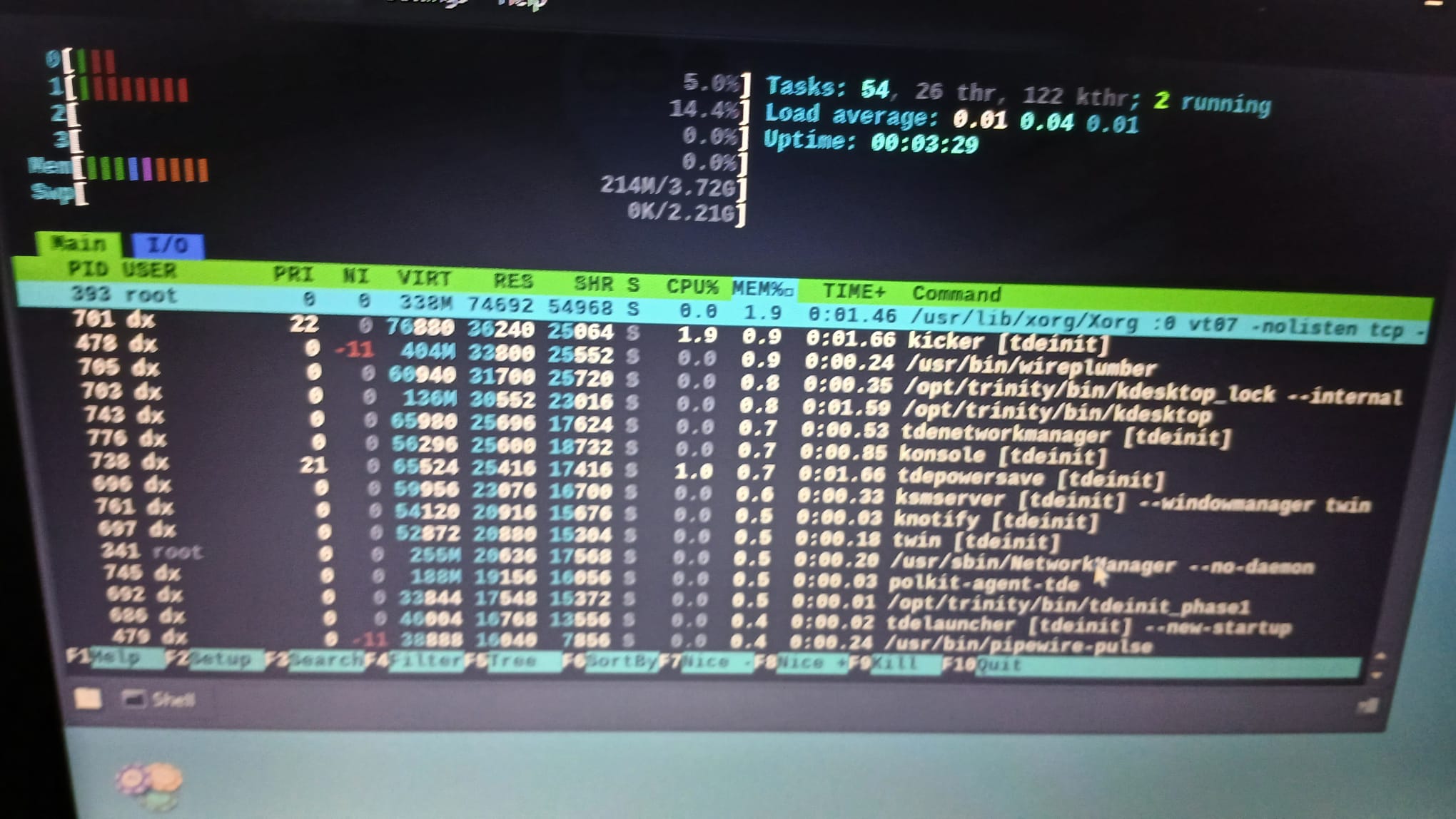
So far I'm sticking with Trinity, which reached 215mb at standby.
Offline
#45 2025-08-12 00:07
- josek
- Member
- Registered: 2025-02-23
- Posts: 91
Re: TDE vs LXDE, LXQT and XFCE
I forgot to tell you to upgrade my RAM to 8GB and also activate the Aero Peek or Composer theme.
I'm trying everything, limiting my CPU to 1.7Ghz out of the 3.1Ghz it has. The same thing happens with the GPU that was at 1200mhz and I lowered it to 650mhz for testing purposes and to see the temperature performance by opening Wine and Chrome at the same time.
Offline
#46 2025-08-12 00:07
- josek
- Member
- Registered: 2025-02-23
- Posts: 91
Re: TDE vs LXDE, LXQT and XFCE
I clarify that I use the liquorix kernel
Last edited by josek (2025-08-12 00:12)
Offline
#47 2025-08-12 00:24
- josek
- Member
- Registered: 2025-02-23
- Posts: 91
Re: TDE vs LXDE, LXQT and XFCE
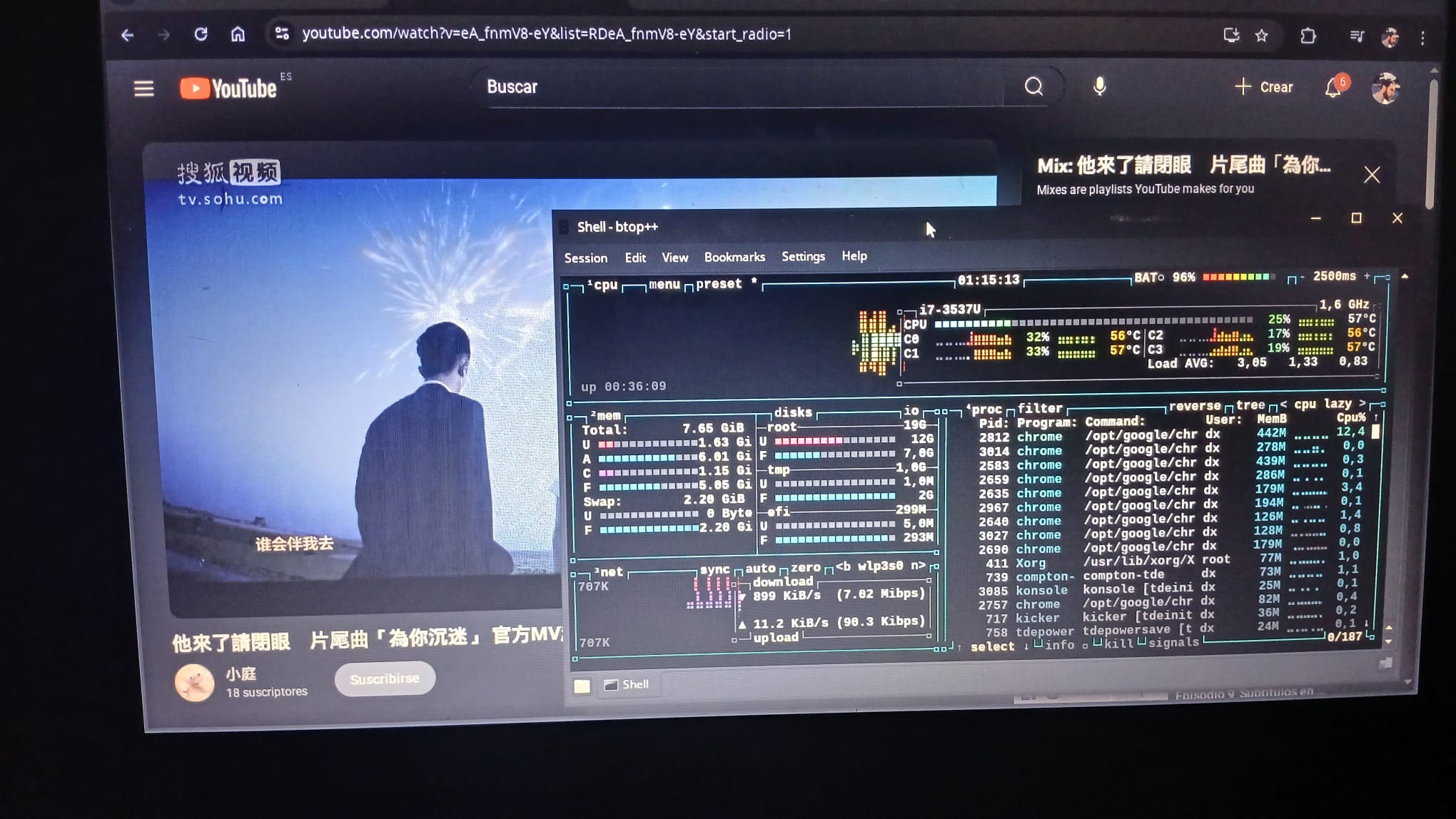
for now it works
Offline
#48 2025-08-12 06:54
- bin
- Member
- From: U.K.
- Registered: 2016-01-28
- Posts: 1,602
Re: TDE vs LXDE, LXQT and XFCE
I clarify that I use the liquorix kernel
I have tried the liquorix kernel in the past and yes, memory consumption was lower.
The only problem I found was that with the constant updates it was taking up a lot of space with older versions. I'm sure there must be a tool that will handle that.
Offline
#49 2025-08-12 15:40
- seb3773
- Member

- From: France
- Registered: 2023-11-01
- Posts: 274
Re: TDE vs LXDE, LXQT and XFCE
I think that ram/cpu usage are clearly relevant (even on modern hardware, I can explain if you don't see why), but you have to compare functionnalities too. TDE is full of usefull features, it's a desktop environment with nearly all the "modern" features you need to work (at least for me it fits just perfect). I don't know about lxde or IceWM, but as I have tested openbox and lxqt in the past, I doubt these two can compete with the level of funtionnalities of TDE...
Last edited by seb3773 (2025-08-12 15:41)
Debian & Q4OS (TDE!!), low-level C, ASM (z80/68k/x86/ARM64), embedded systems, CPU architectures (RISC-V, binary formats, assembly), retro-computing, metal music, guitar and sci-fi.
Offline
#50 2025-08-12 21:21
- theasmitkid
- Member
- From: NCT of Delhi
- Registered: 2025-01-26
- Posts: 357
Re: TDE vs LXDE, LXQT and XFCE
I agree with @seb3773, TDE is really customisable and doesn't take a toll on even low end hardware. Most of the times if you're lacking some features in your TDE setup, either you're running an older version or you could put some extra time to implement/setup that feature manually, whose guide is often well available on q4os's forum and pclinuxos's forumsl
Coding & Robotics Enthusiast | Windows 7 x86 @ n2600 · 2GB · 320GB HDD (No graphics acceleration available in linux)
Offline
- Registered users online in this topic: 0, guests: 2